In many shops, the books are kept twice: once in the business software, then again in the accountant’s spreadsheet, where the bank is ticked off again, matches are redone and the tax return is assembled at year end. Wurus now runs the whole chain, from Monday morning’s bank statement to the SYSCOHADA tax return, and shows you everything it does along the way.
Here is a year of accounting in Wurus, told in the order you live it. Every screenshot comes from a demonstration company with made-up figures. The interface shown is in French; Wurus is also available in English.
Monday morning, the bank
You download your bank statement as usual and drop it into Accounting, Bank statements. CAMT.053 and MT940 files are read directly; a CSV or Excel file has its columns recognised, and your settings are kept for the next statement. The statement checks itself before it goes in (opening and closing balances, balances that follow on), and a line already imported is never imported twice.
Bank matching does the rest. For each line, Wurus suggests the matching entry with a confidence score and says why: same amount, same day, reference found, customer named. A payment your books already know is simply ticked. Fees, interest, a transfer between your own accounts, the things only the bank knows, are posted for you, with the entry shown before you confirm.
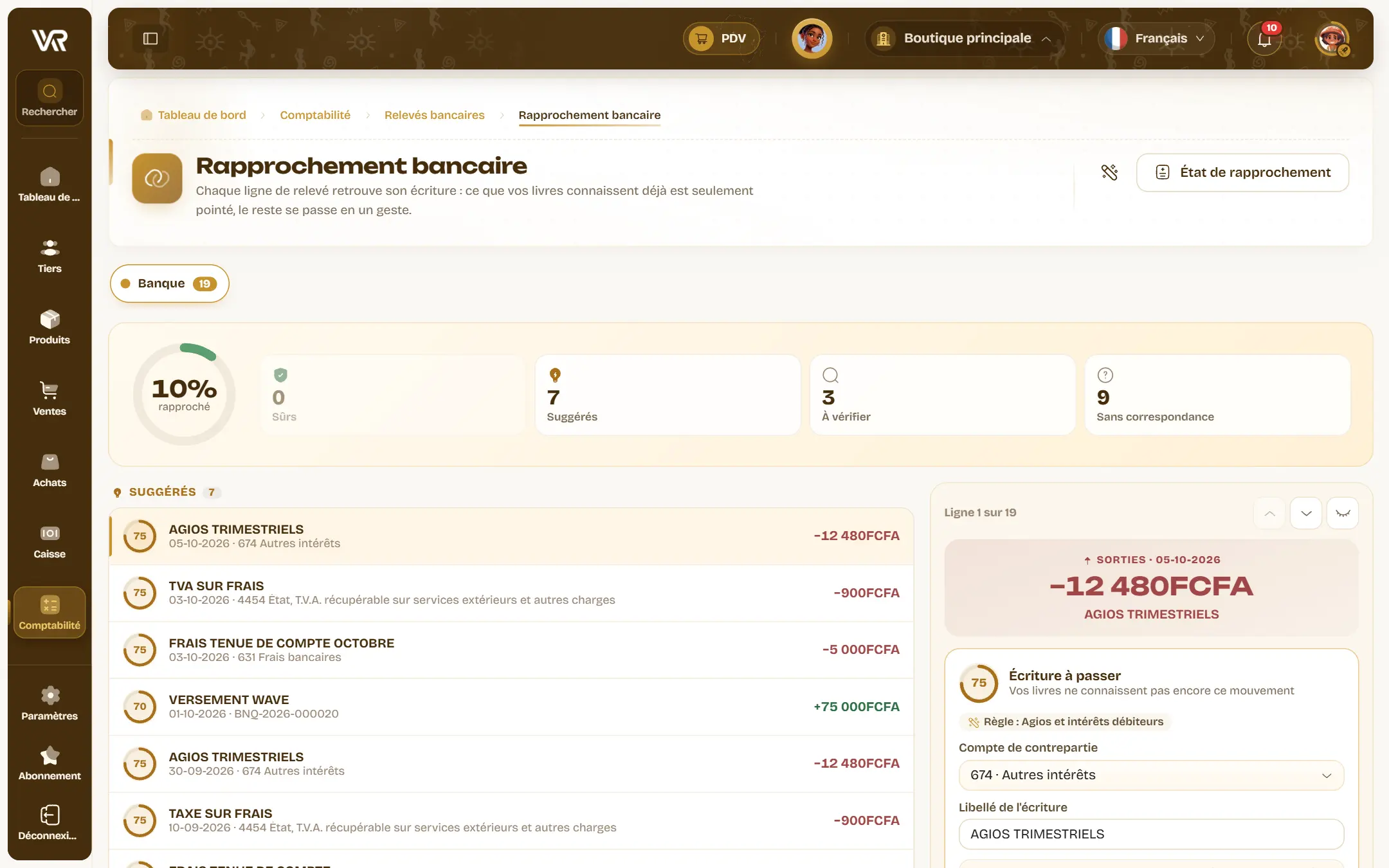
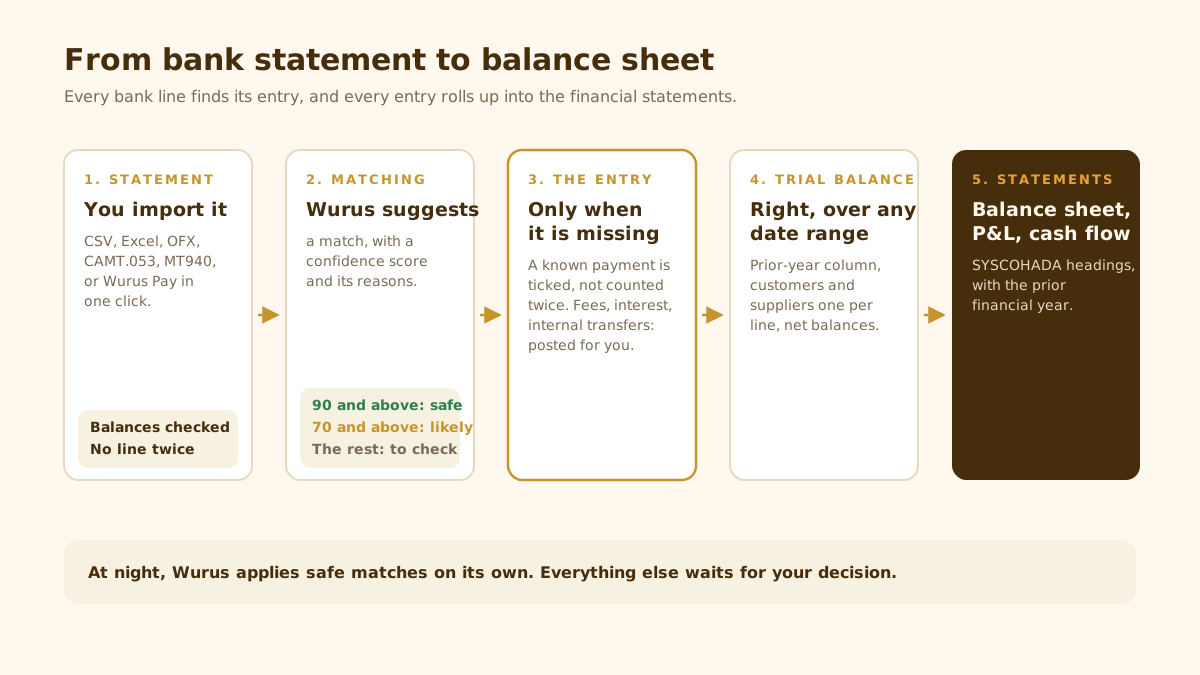
The following night, Wurus applies the safest matches on its own (a score of 90 or more). Anything that touches a payment always waits for your decision. A bounced cheque, a Wave transfer that arrived net of fees, a post-dated cheque waiting to be paid in: these cases are recognised, and each gets the right entry.
During the week, supplier invoices
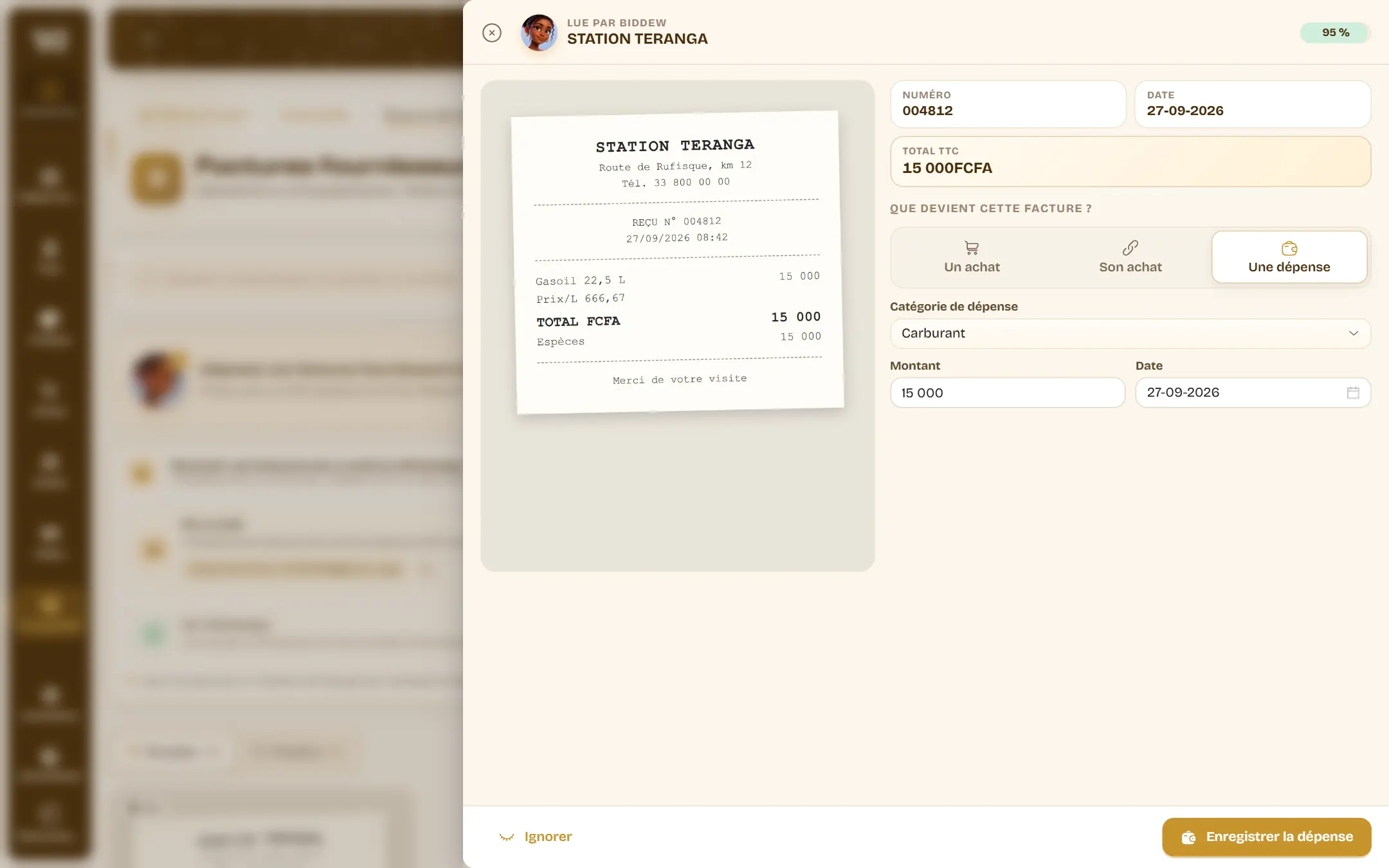
The supplier’s invoice arrives as a photo, a PDF, forwarded by email or sent by WhatsApp to the company number. Biddew, the Wurus assistant, reads it: supplier, lines, amounts. She finds the supplier and your products, then you choose to turn it into a purchase, attach it to an existing purchase, or record it as an expense. Nothing is posted before you confirm.
A transaction with no invoice, such as rent or an adjustment, goes in as a general journal entry. You can also describe it to Biddew (“September rent paid by Wave, 150,000”): she suggests the lines with the accounts from your own chart, debits and credits balanced, and you confirm.
Who owes you what, and what lies ahead
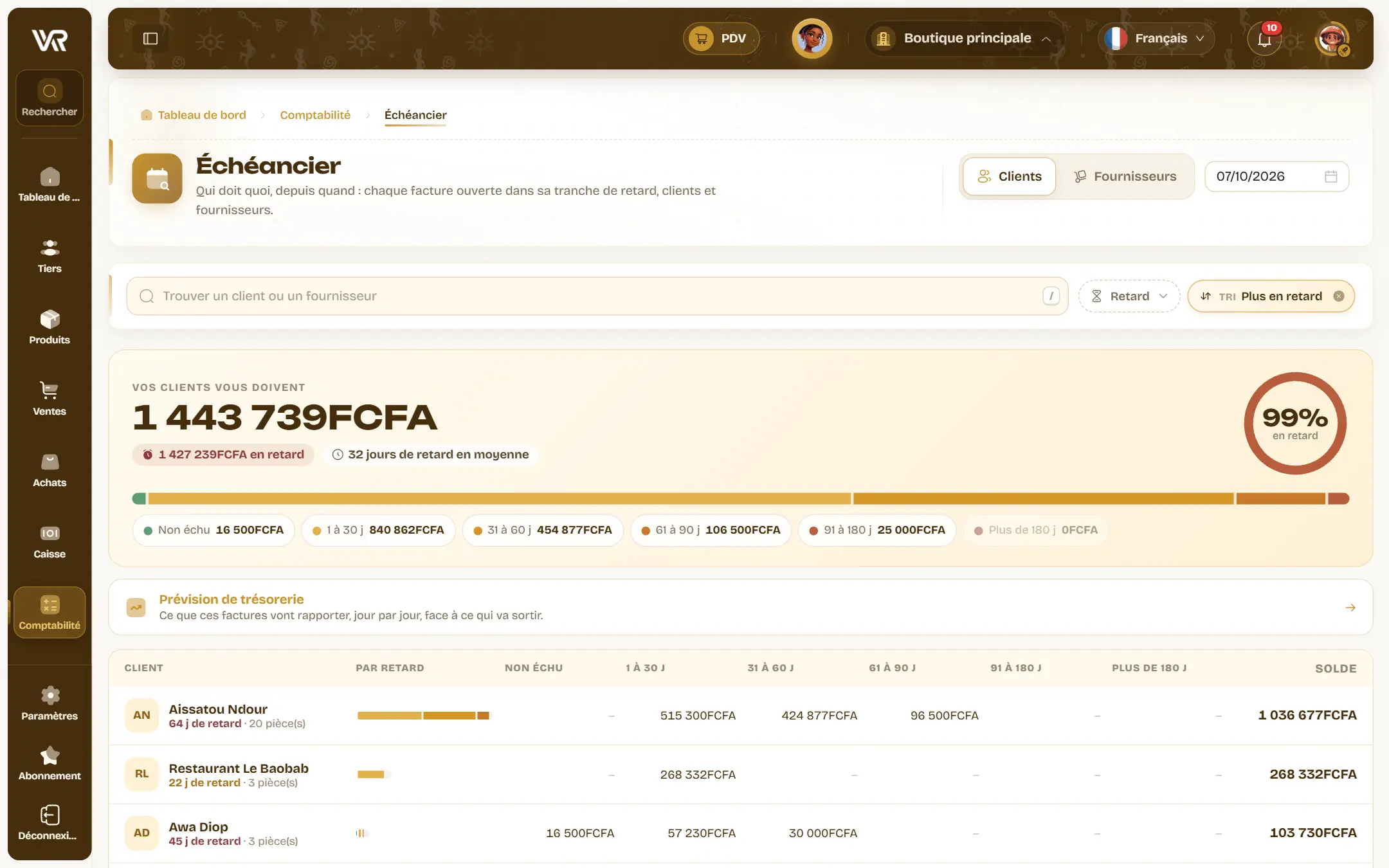
The aged balance sorts every open invoice by how late it is, in six bands from not yet due to over 180 days, with the weighted average delay and the detail customer by customer. Lettering links each invoice to the payments that settle it; Wurus suggests it customer by customer and accepts partial matches.
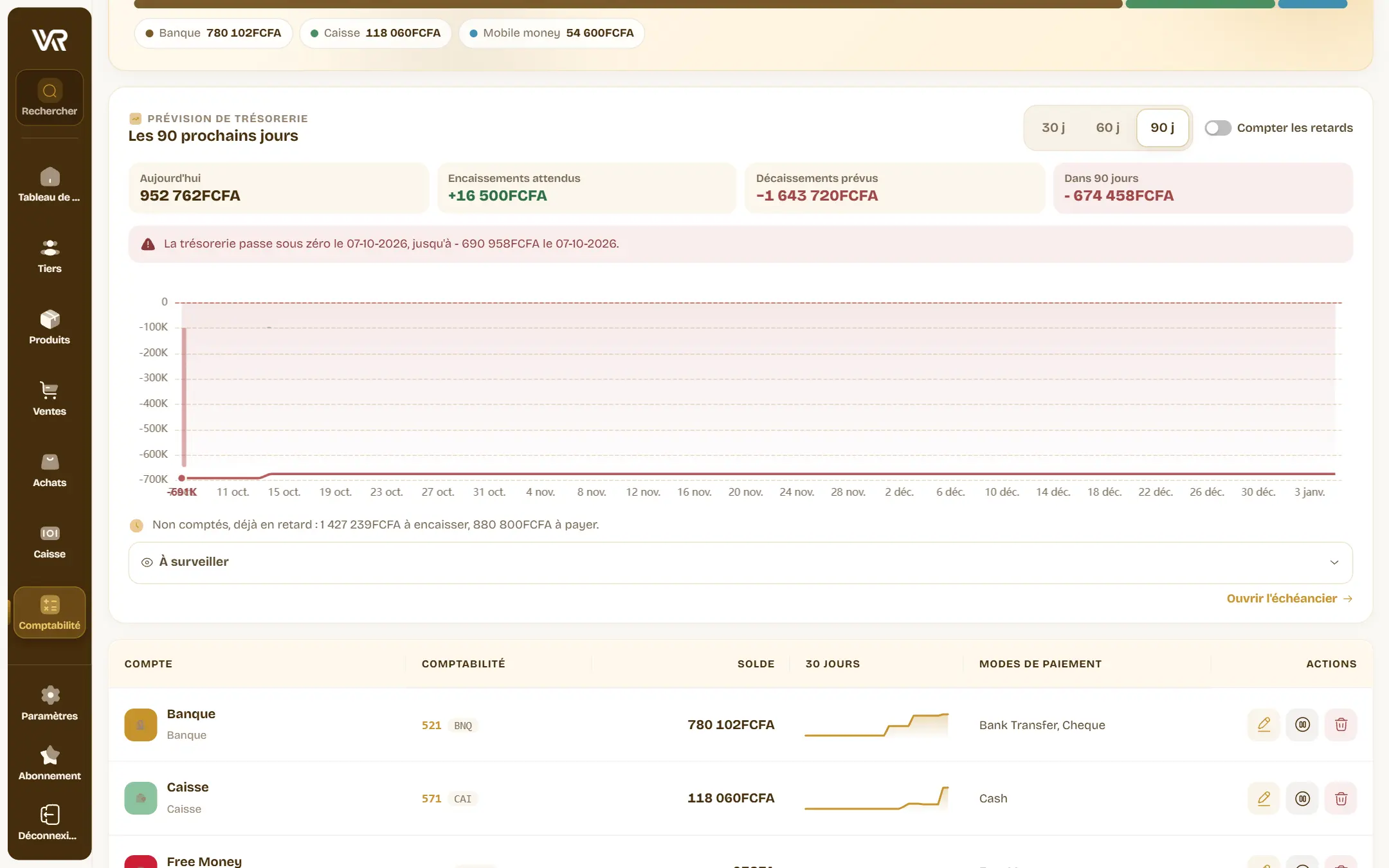
On the Treasury screen, the cash forecast over 30, 60 or 90 days adds up what you have, what should come in and what should go out, and gives the date the curve would drop below zero. Bad news seen three weeks early can still be fixed.
The figure that puzzles you
The trial balance, balance sheet and income statement are laid out under SYSCOHADA headings, with the previous year alongside. A figure surprises you? Click it: the account opens over the same period, movement by movement. Click a movement: the entry opens, with the invoice it came from.
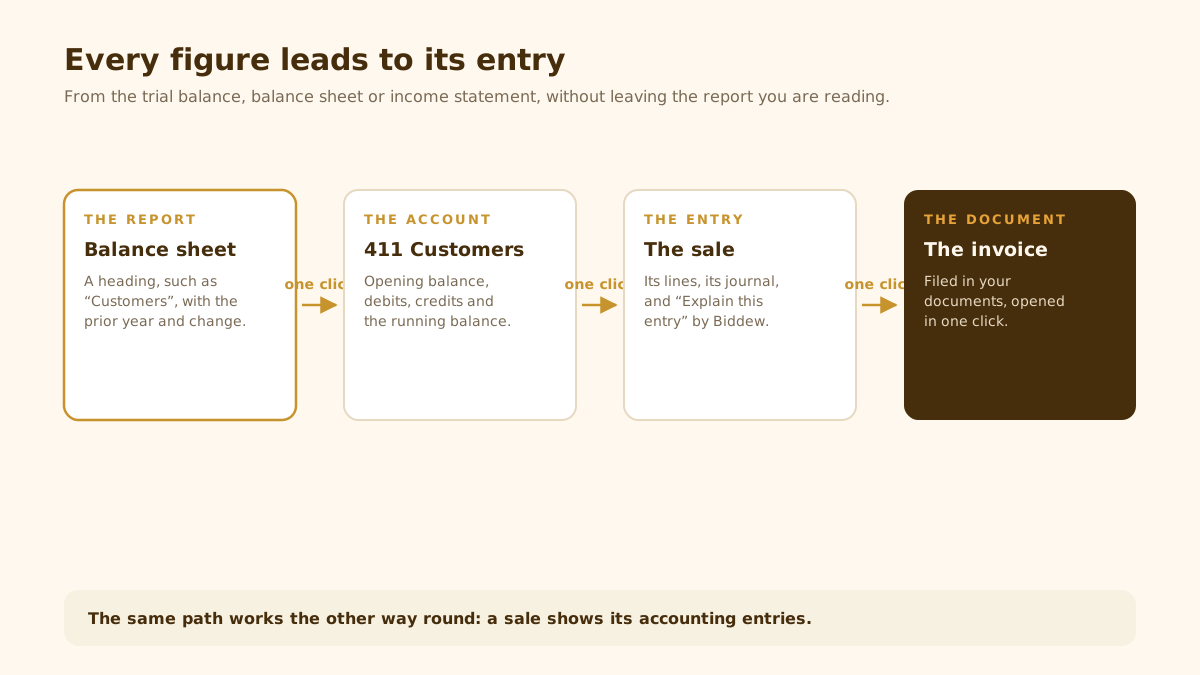
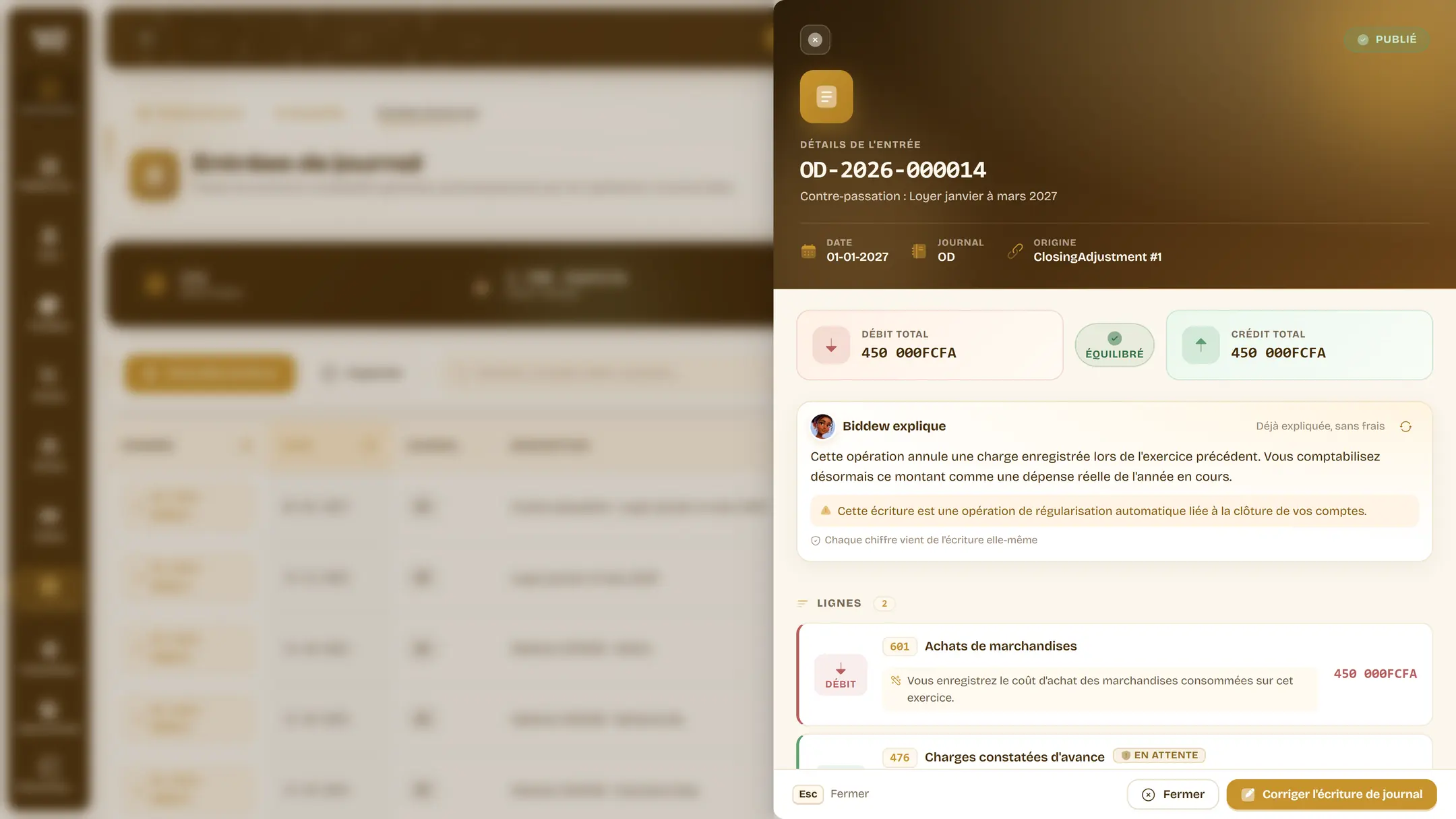
And if the entry itself is unclear, “Explain this entry” tells its story in plain words: “you sold on credit, the customer owes you this amount”. Every figure comes from the entry itself, and no customer name is sent.
At month end, the checks
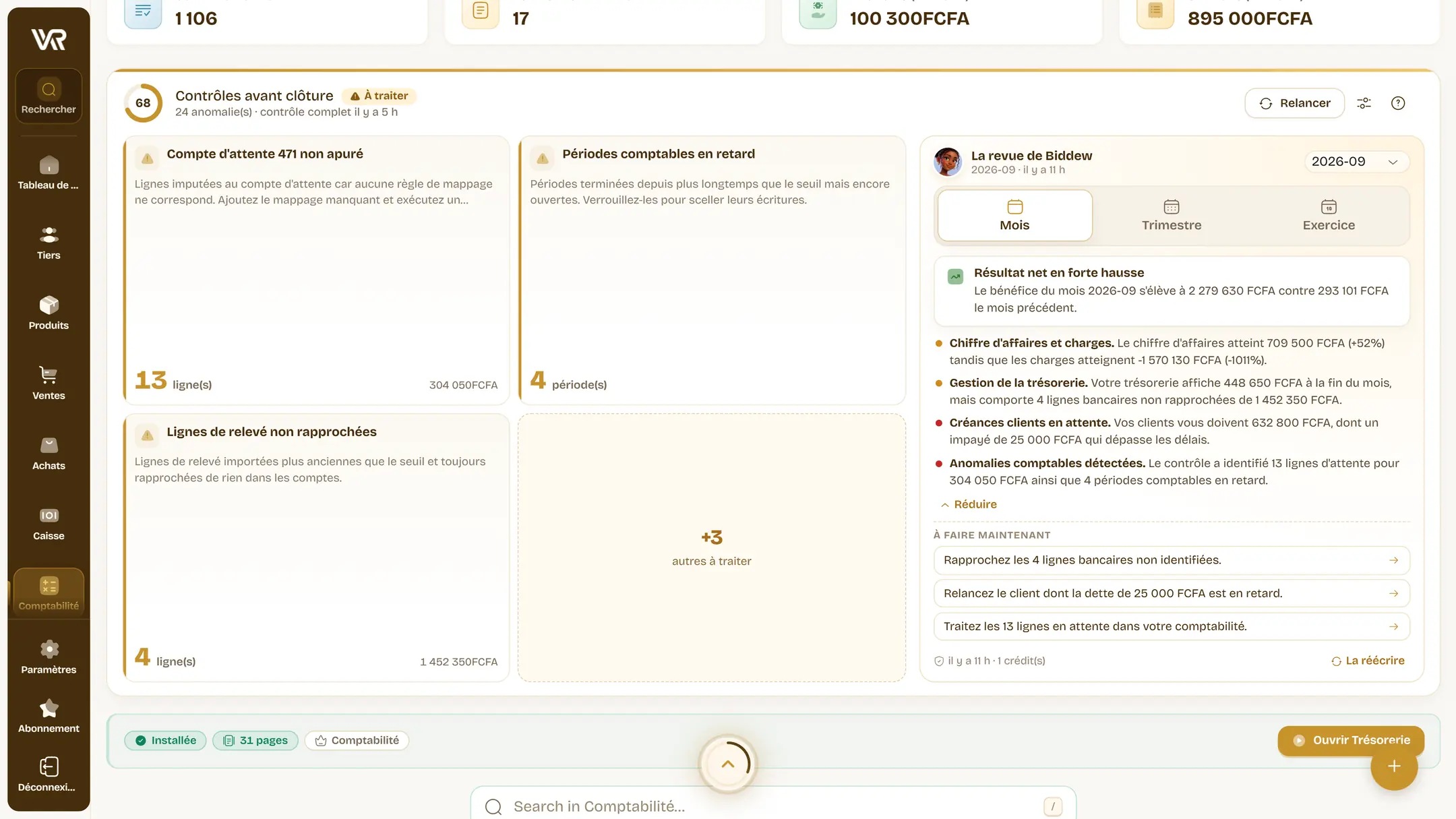
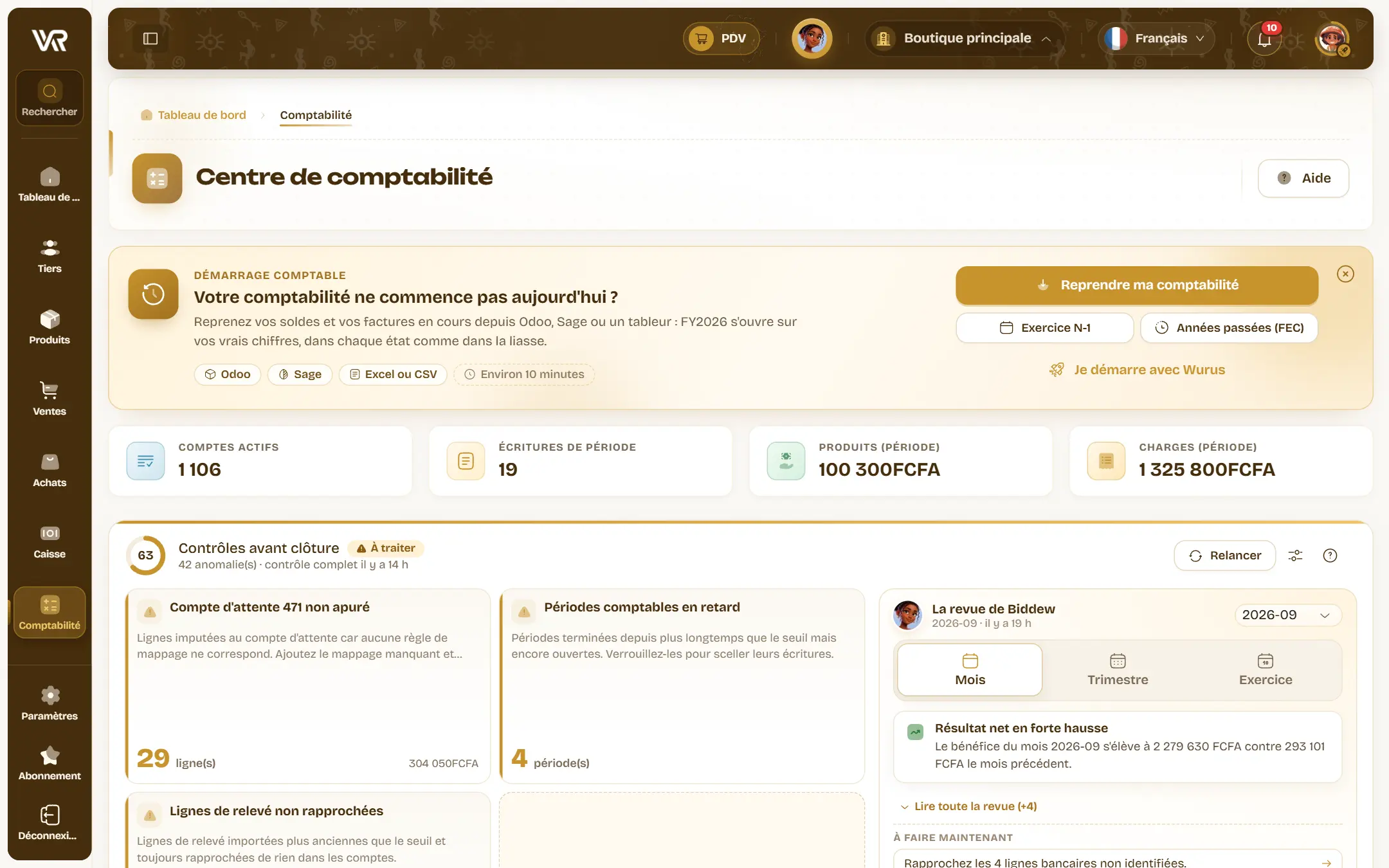
The pre-closing checks give your books a health score: unbalanced entries, a suspense account not cleared, unmatched statement lines, undeclared VAT, cheques to pay in, purchases with no invoice. Each issue has its “Fix” button, and every check runs again each night. You can even receive the state of your books on WhatsApp when a check finds something.
Then you ask Biddew for the monthly review: in a few lines, what the result, expenses and cash say, what your customers owe and what you owe, and at most three things to do. The month is then locked, and its entries sealed with a fingerprint: nobody can change them without it showing.
At year end, closing and the tax return
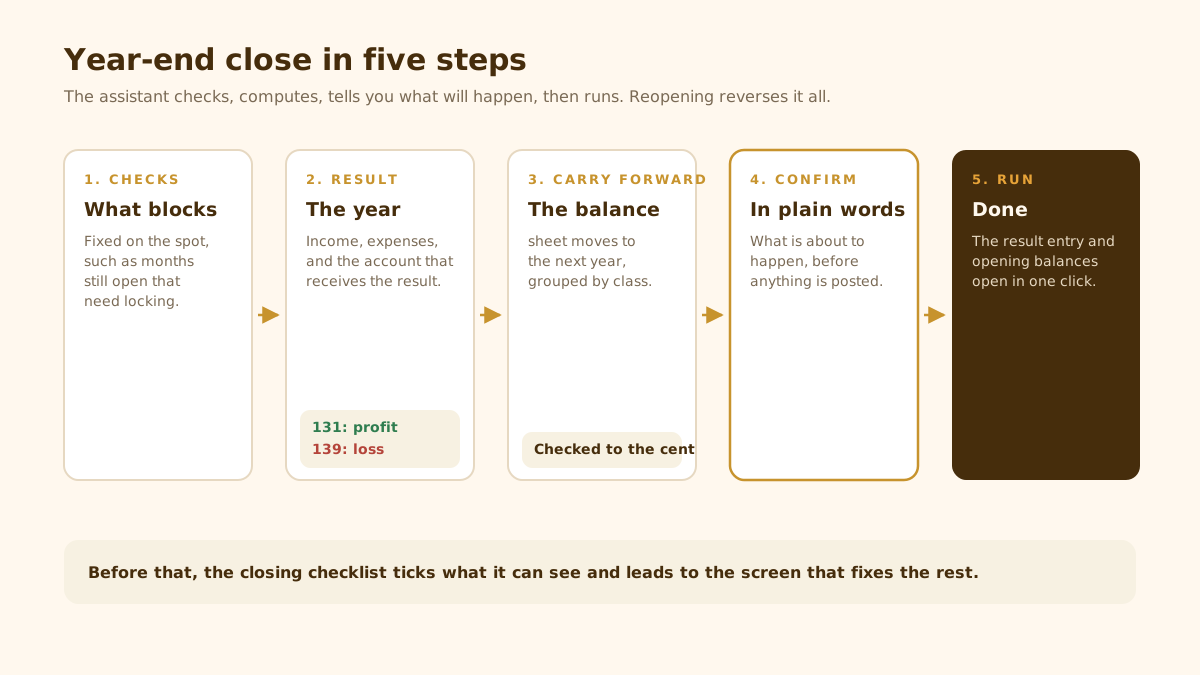
Year-end adjustments post the entries nobody invoices: prepaid expenses and deferred income, accruals, provisions, doubtful debts, with their 1 January reversal posted straight away. The closing assistant then lists what needs checking, ticks what it can see, and takes you to the screen that fixes the rest.
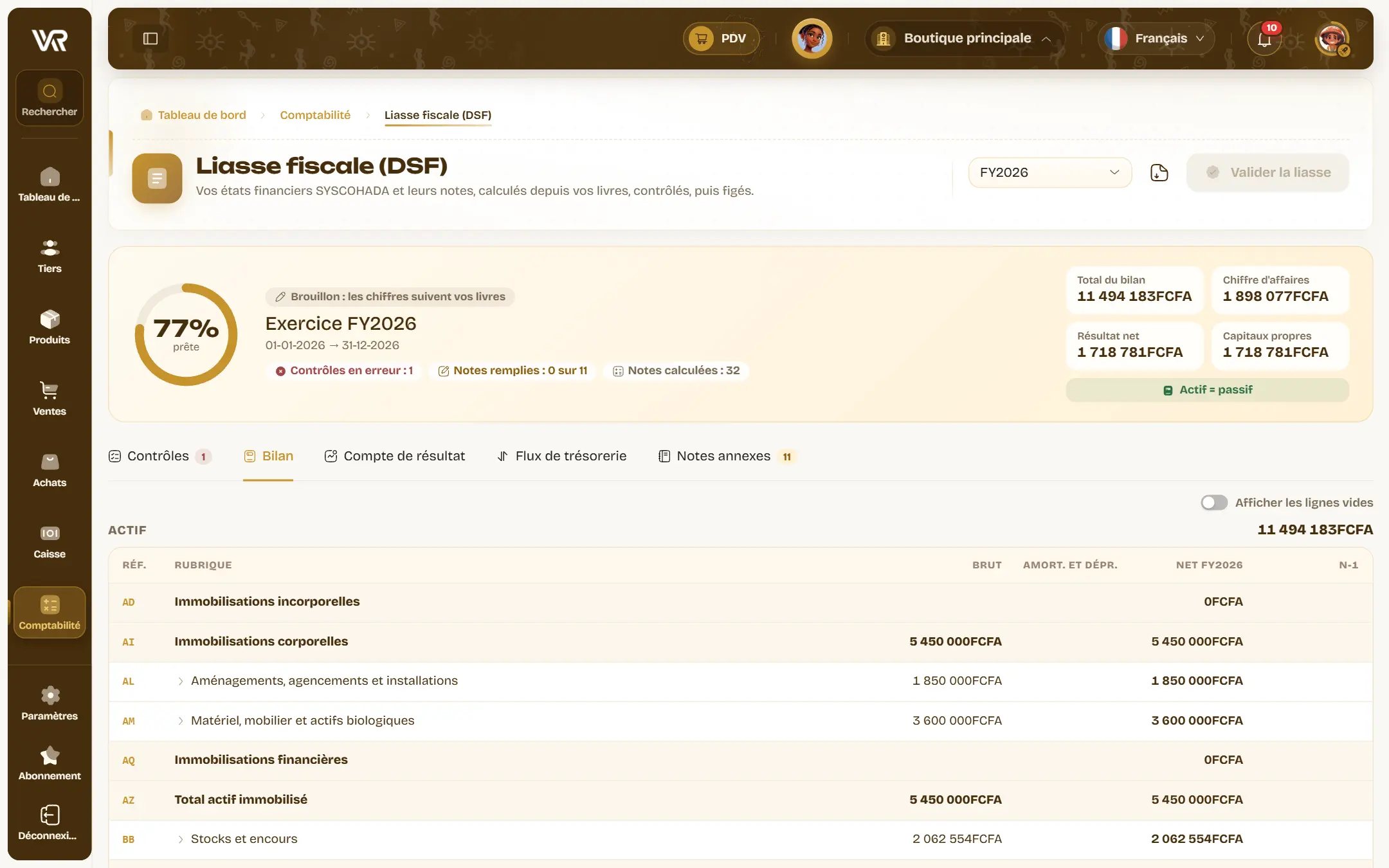
The tax return (DSF) is computed from your books: balance sheet, income statement with its intermediate balances, cash flow statement, notes. Consistency checks run before validation, then the return is frozen and downloads as a PDF. Below your activity’s turnover ceiling, the SMT variant (minimal cash-basis system) fits in a few lines.
You don’t start from scratch
Were your books in Odoo, Sage or a spreadsheet? Drop in the FEC export or the trial balance from your old software: each account’s balance is brought forward, and so is every invoice still unpaid, one per line, so the aged balance starts right. Odoo (411100) or Sage (40110000) account numbers are matched to your chart. The previous year can be imported from its trial balance, so your first return has its prior-year column, and up to five years of detailed history from FEC files, document by document, lettering included.
For your accountant
They will feel at home: the revised SYSCOHADA chart, the tax return headings, the ZA to ZH codes of the cash flow statement. They get the 18-column FEC file, the legal journals and summary journal in PDF and Excel, the trial balance over any date range, and the financial statements shared through a protected link. Locked periods are sealed, and the Integrity panel checks that no entry has been touched since.
| Day to day | The spreadsheet | Wurus |
|---|---|---|
| The bank statement | Retyped or pasted | Imported and checked |
| Bank matching | Line by line, from memory | Suggested with a score and its reasons |
| Money to collect | A list to maintain | Six-band aged balance and 90-day forecast |
| A balance sheet figure | A formula to trace back | One click to the entry and its document |
| The tax return | Assembled at year end | Computed from the books, checked, frozen |
| Past entries | Editable without a trace | Sealed when the month closes |