In a shop, your hands are rarely free. You serve a customer, count the change, unload a truck. That is usually the moment you need to know what is left in stock, draw up a quotation or resend an invoice. Biddew was born from that: you talk to your business, and she goes and looks in WURUS.
Her name means “star” in Wolof, and she comes from the team that took third prize at POESAM 2026. She understands Wolof, French, English and Arabic, spoken or written. She searches your data, prepares the work, then shows it to you. Nothing is written until you say yes.
What Biddew can do
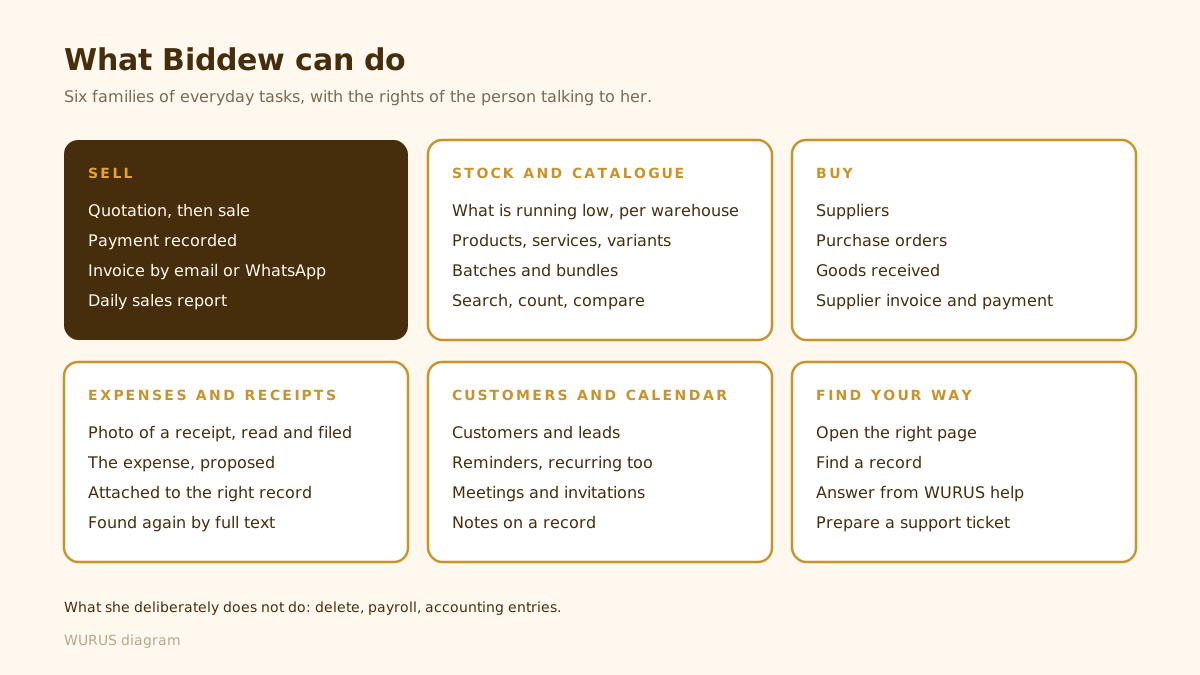
Biddew is not a chat window sitting next to the software. She works inside WURUS, with the same records, the same warehouses and the same rights as you. What she can do fits into six families of everyday tasks.
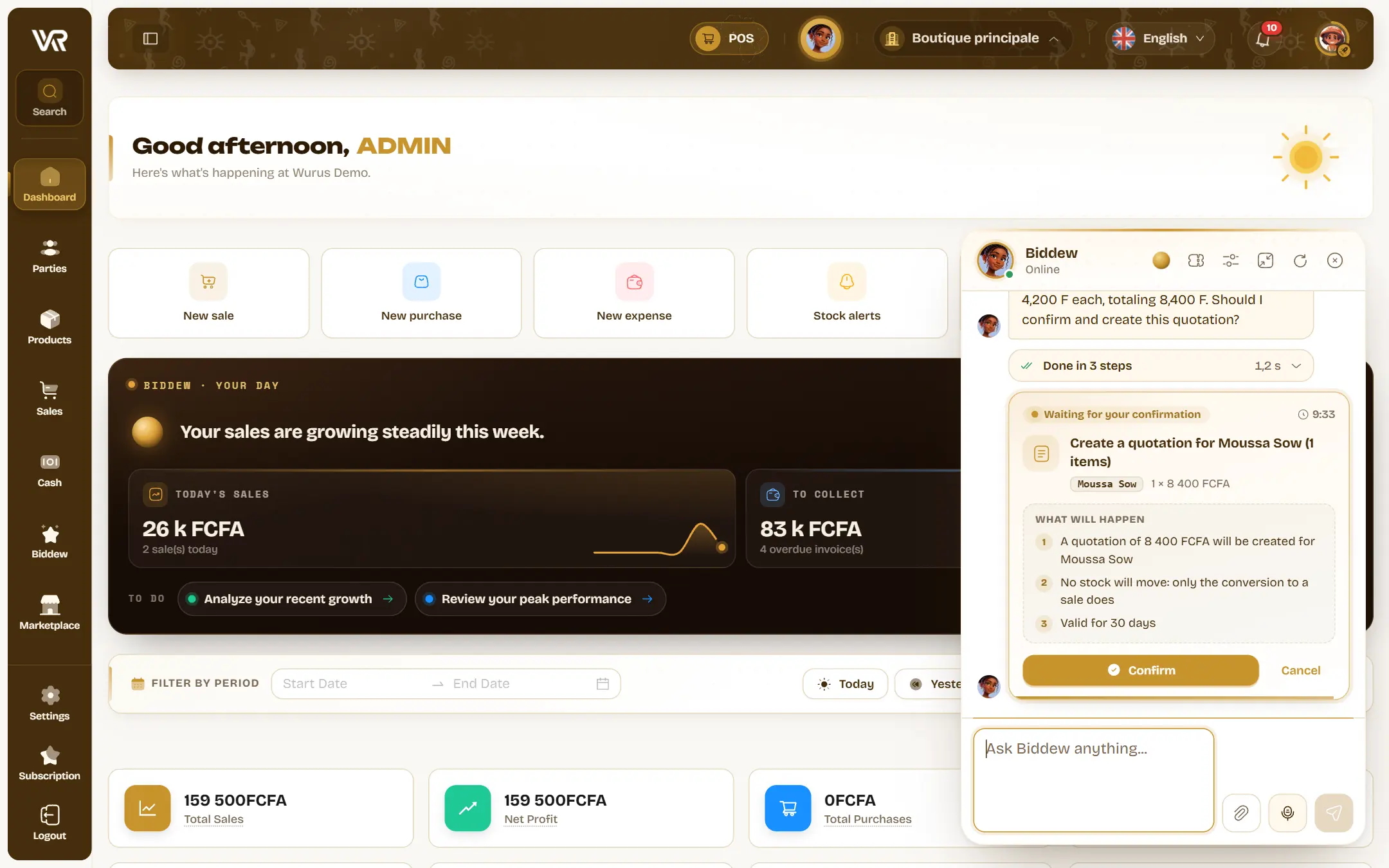
Sell without leaving your customer
“Make a quotation for Moussa Sow: two bags of cement at 4,200 a bag.” Biddew finds the customer and the product, works out the total, then shows you a card with what is about to happen. You confirm, and the quotation exists. Same for turning a quotation into a sale, recording a payment or sending an invoice by email or WhatsApp, to the customer or to another number.
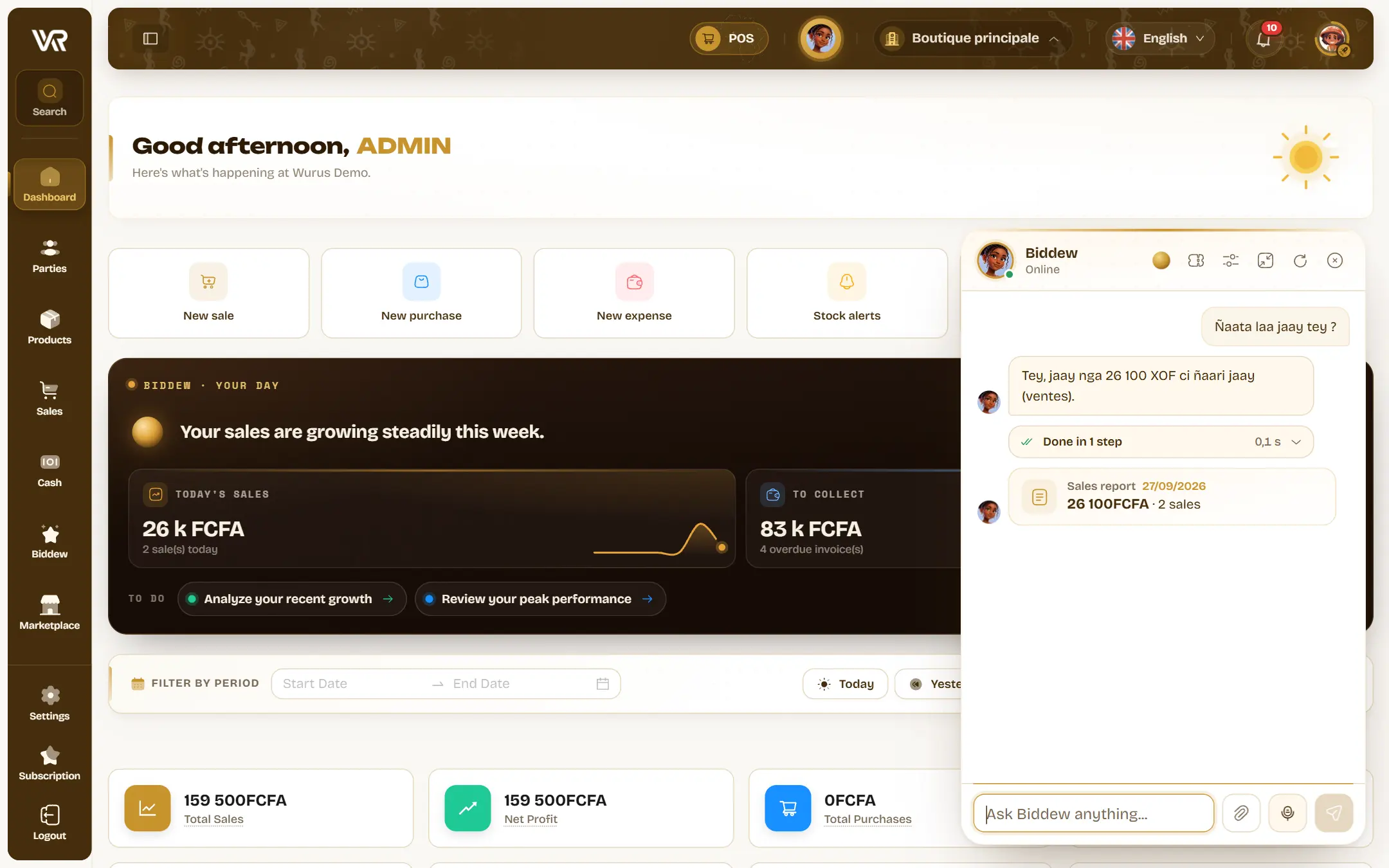
Know where your business stands
“Ñaata laa jaay tey?” (“how much did I sell today?”). Biddew answers, in Wolof if that is the language you chose for her, with the day’s sales report attached. She searches, counts and compares: what is missing or about to be in each warehouse, your best customers this month, unpaid invoices. For your catalogue, she creates a simple product, a service, a product with variants or a bundle.
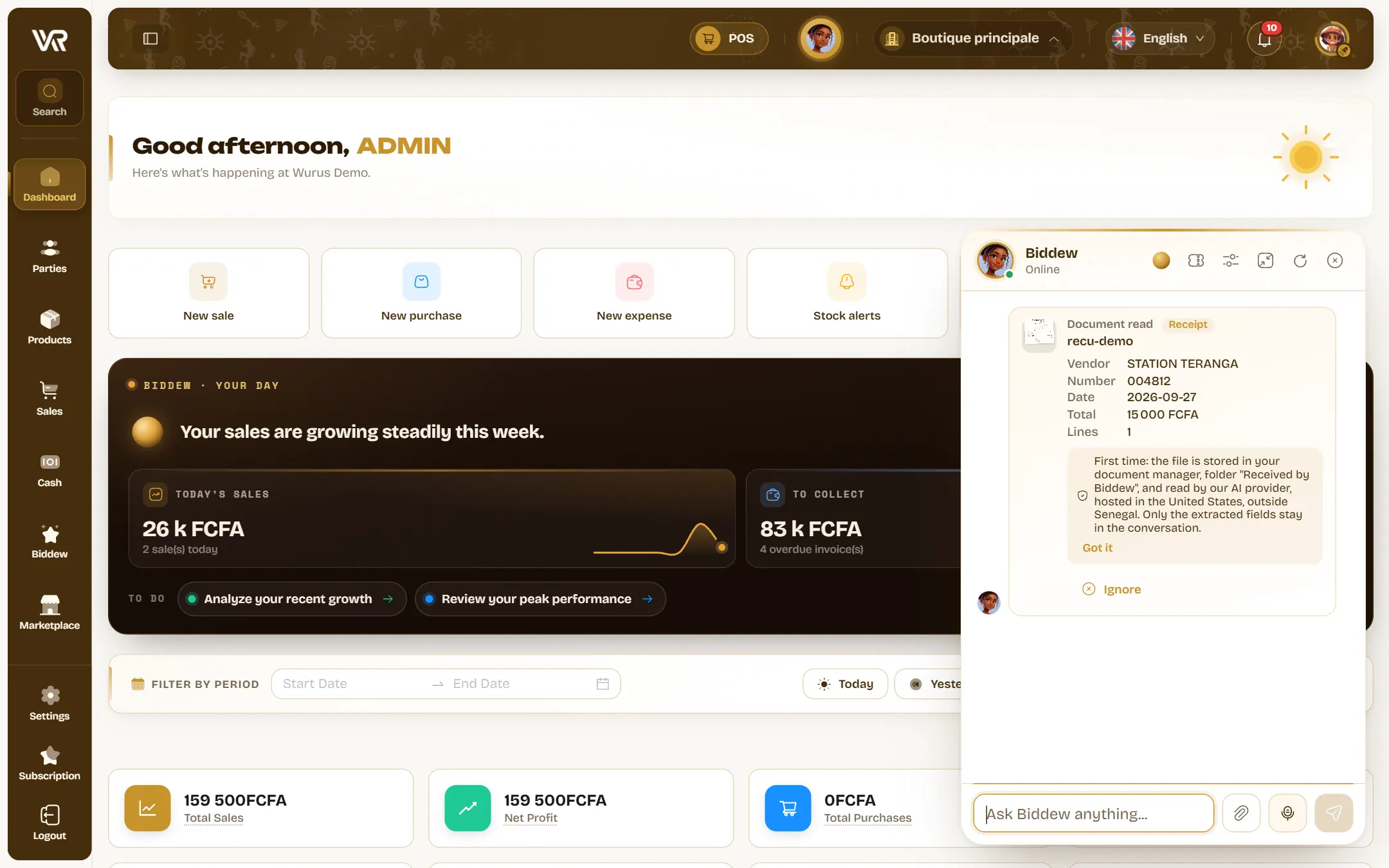
Buy, spend, file
On the purchasing side, she creates a supplier, places a purchase order, records the goods received, then the supplier invoice and payment. For expenses, she does better than data entry: take a photo of a receipt, Biddew reads it, files it in your documents and proposes the matching expense, amount and supplier already filled in.
Forget nothing, find the right page
“Remind me tomorrow at nine to call Grossiste Sandaga.” Reminders, recurring ones too, meetings with invitations, notes on a record: it all lands in your WURUS calendar. And when you are looking for a screen, just ask: “open expenses”, “show me the sales report”. She also answers questions about WURUS from our help centre, and prepares a support ticket if needed.
Talk to your business
You can type to Biddew, of course. But she was designed for voice. Hold the mic and dictate. Or switch to live conversation: you speak naturally, she answers out loud, and you can interrupt her like anyone else. While she is searching, she tells you, so the silence does not leave you wondering.
She also knows where you are. If you are looking at a customer’s record, “send them their last invoice” is enough: no need to repeat the name.
The daily report, first thing
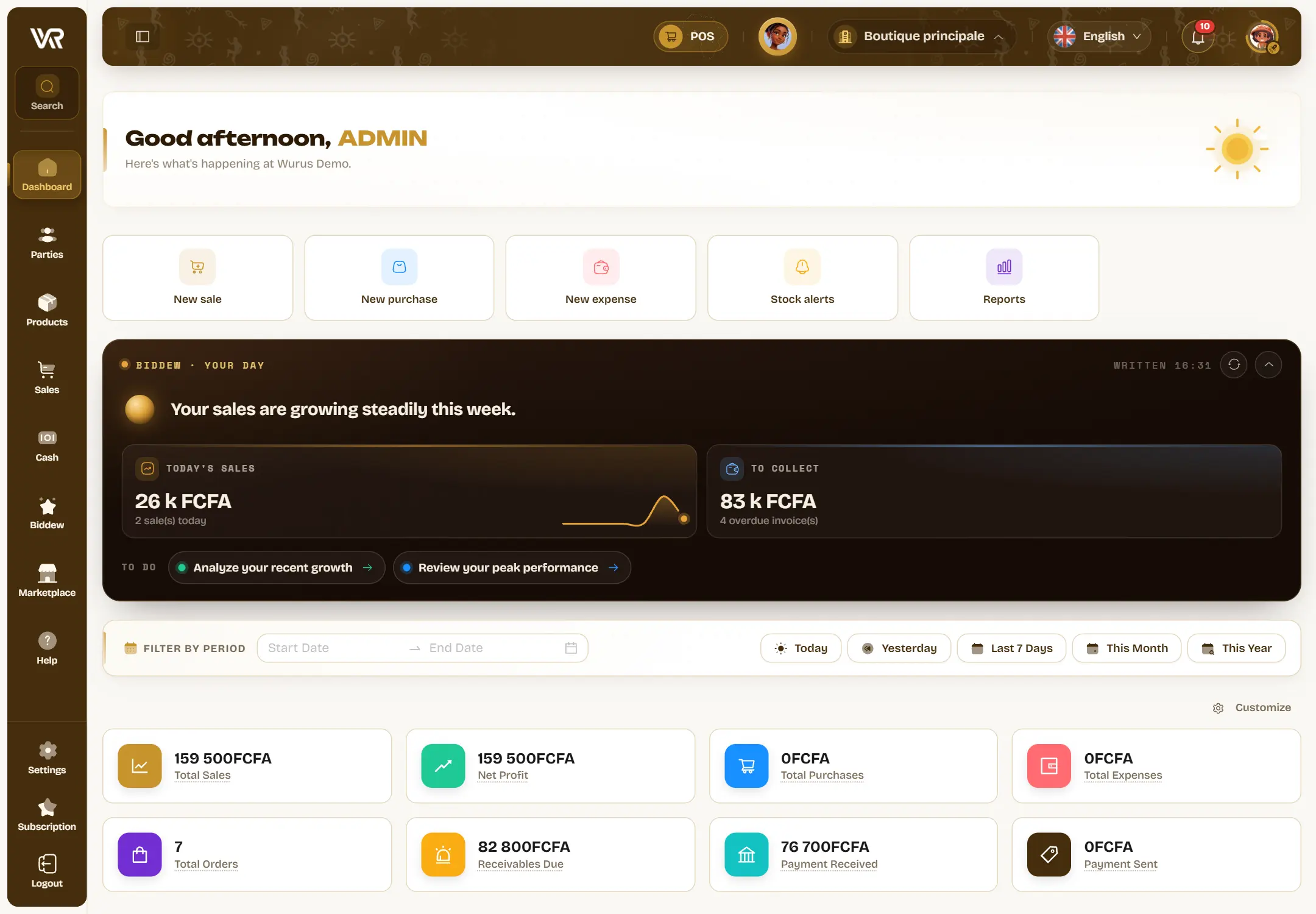
If you turn it on, your dashboard opens on Biddew’s report: today’s sales and their seven-day curve, low stock, batches nearing expiry, money to collect. She adds a one-sentence summary and up to three things to do. In the morning, you know where to start.
And from the moment your account is created, she introduces herself. At the end of the eleven-question setup, Biddew asks which language to speak to you in, then offers to record your first sale in a single sentence: the product, the customer, the sale and the invoice.
She speaks your language, and we measured it
Saying an assistant “speaks Wolof” costs nothing. We preferred to count. On a demo account, we gave Biddew 80 written requests, 20 per language, spread over four tasks: look something up, create, send an invoice, open a page. For each one, a single question: did she understand what was asked, and did she start the right action or ask the right question?
All 80 requests were understood. When Biddew did not start the action on the first try, it was because she asked a useful question: a “transport” expense category that did not exist yet, a quotation already accepted that she would not resend without asking, a confirmation before sending on WhatsApp. The figure above therefore counts the harder thing: the right action, started on the first try. As for speed, the first answer appears in a little over four seconds at the median, including the search through your data. And she answers in the language you chose in her preferences: 20 answers out of 20 in Wolof, 20 out of 20 in Arabic.
Nothing moves without your yes
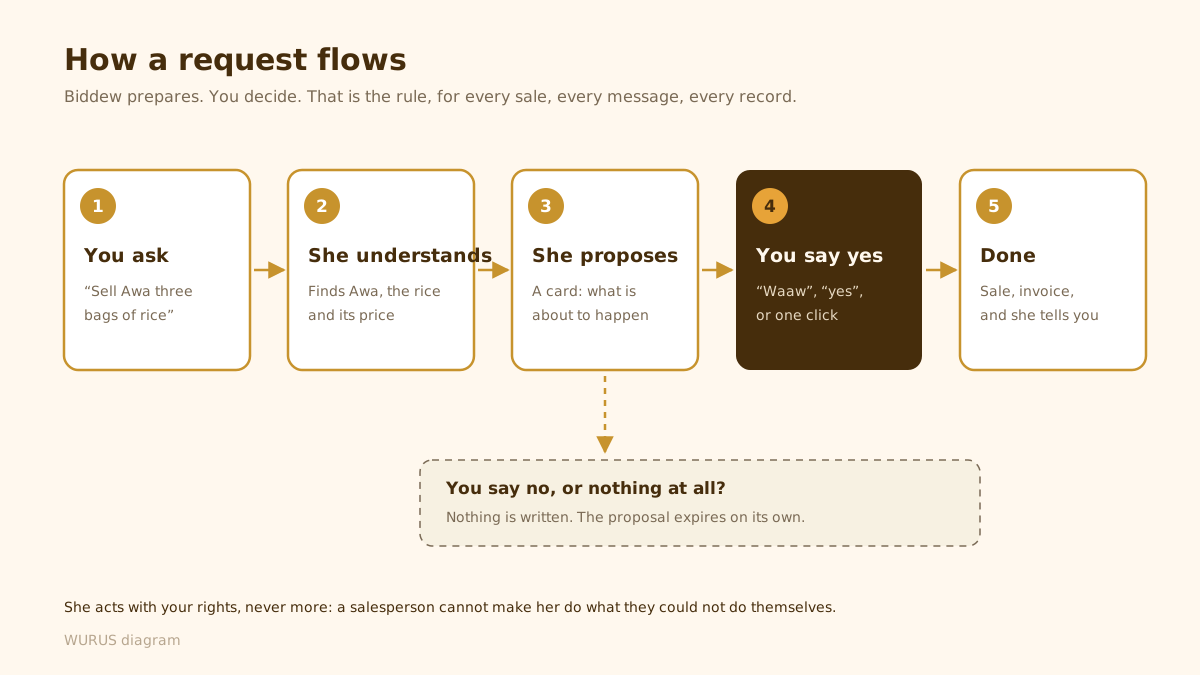
An assistant that acts in your books should be more careful than a colleague, not less. With Biddew, that is an architecture rule, not a setting: she prepares, you decide.
Under the hood, a little
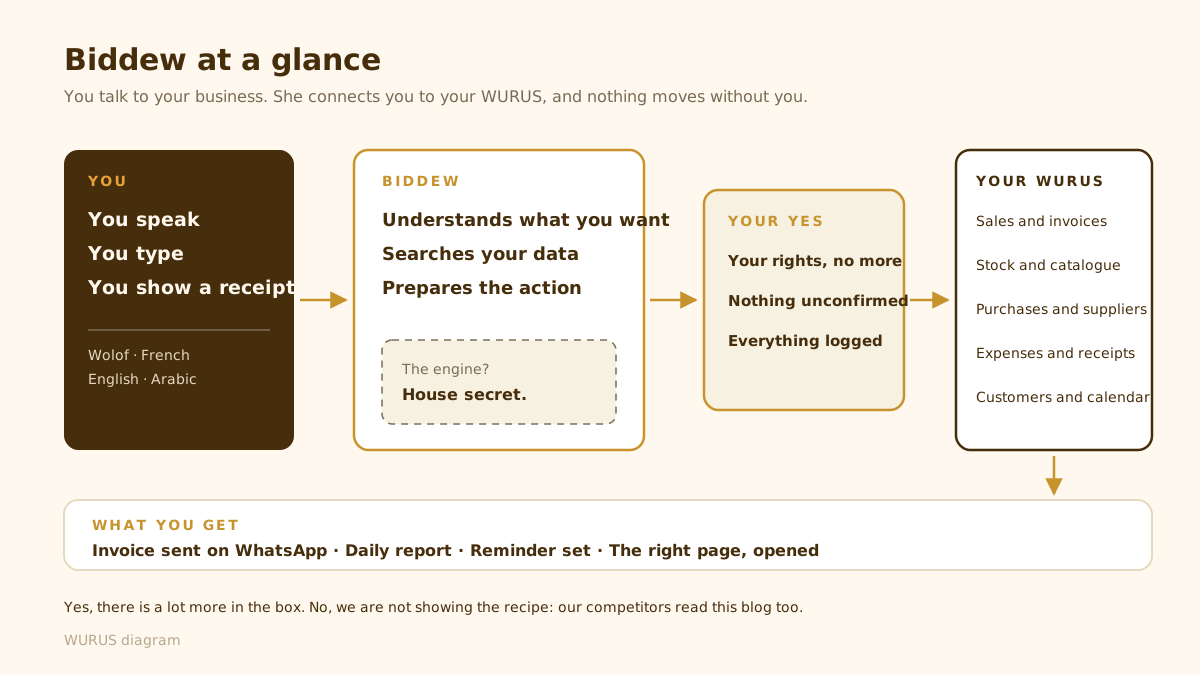
Here is how the pieces fit, seen from above. You speak, type or show a receipt. Biddew understands, searches your data and prepares the action. Your safeguards filter. Your WURUS executes.
| Day to day | Traditional software | WURUS with Biddew |
|---|---|---|
| Draw up a quotation while serving a customer | ✗ | ✓ |
| Work in Wolof | ✗ | ✓ |
| Enter an expense receipt | ± | ✓ |
| Know where you stand in the morning | ± | ✓ |
| Stay in control | ✓ | ✓ |
Biddew in action
Ninety seconds on our demo account: a sale dictated in Wolof, the confirmation card, a “waaw”, and the invoice going out on WhatsApp.