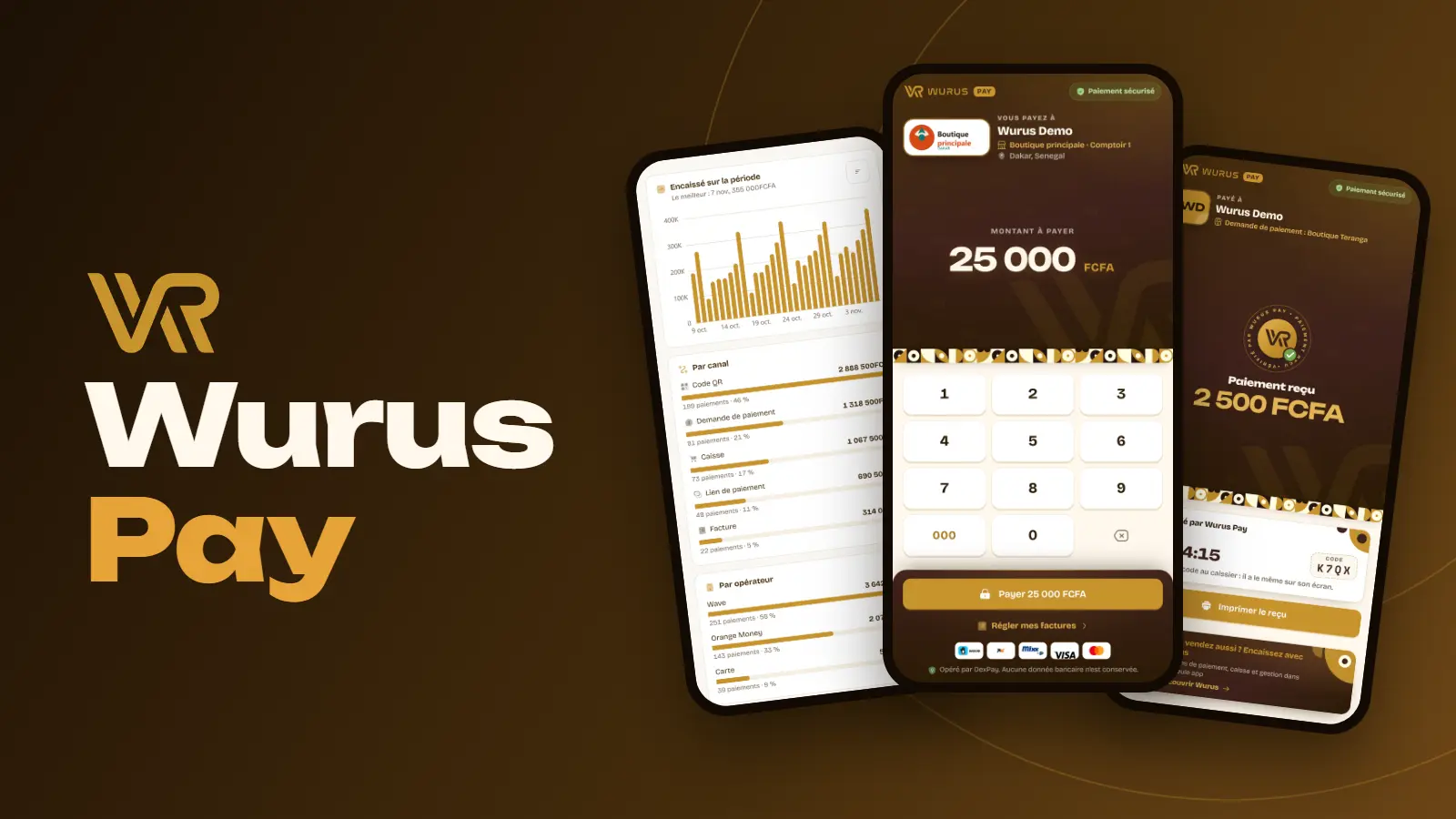
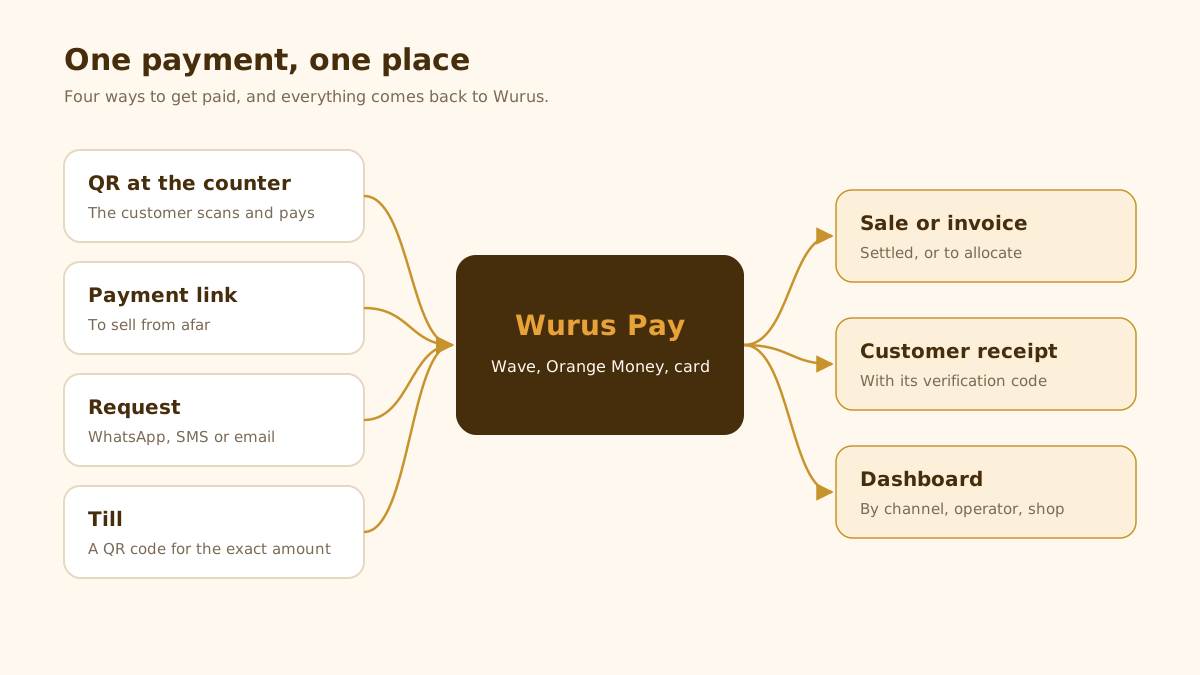
A customer wants to pay and you have no change. Another sends a screenshot of a transfer, and that evening you are hunting for the invoice it belongs to. Mobile payment is everywhere, but what comes after is still done by hand. Wurus Pay takes care of what comes after: customers pay the way they always do, and each payment comes back to Wurus with its sale, its invoice, its receipt and its place in your numbers.
One QR code per counter
In Wurus Pay, QR codes, create a code for a counter, a courier or a stall. It can leave the amount open, suggest a few amounts, or carry a fixed price. The studio turns it into a poster, a sticker or a social post.
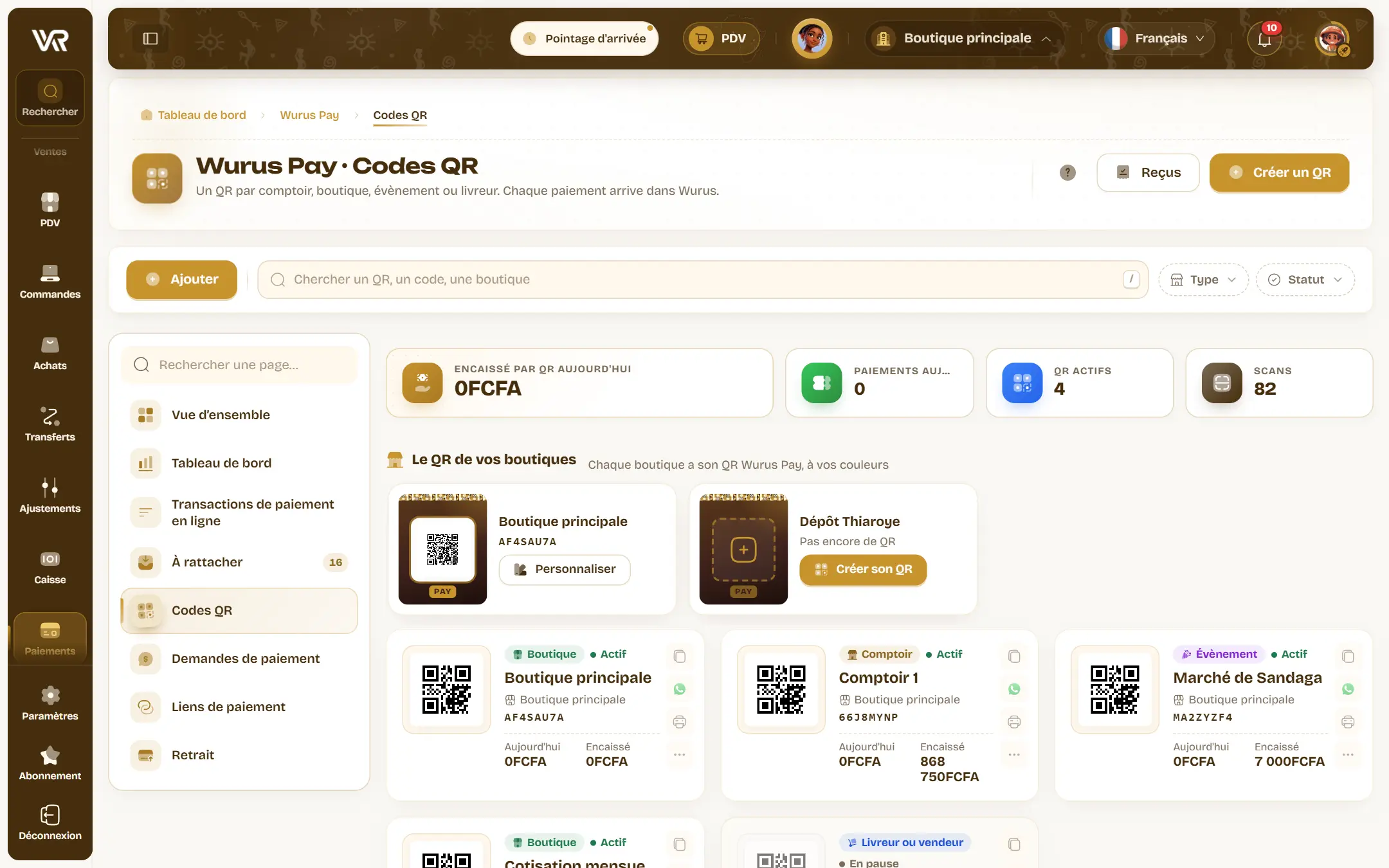
Customers install nothing. They open the camera, scan, type the amount and pick Wave, Orange Money or card. The page shows your shop’s name before they pay, so they know where the money goes.
At the till, the exact amount
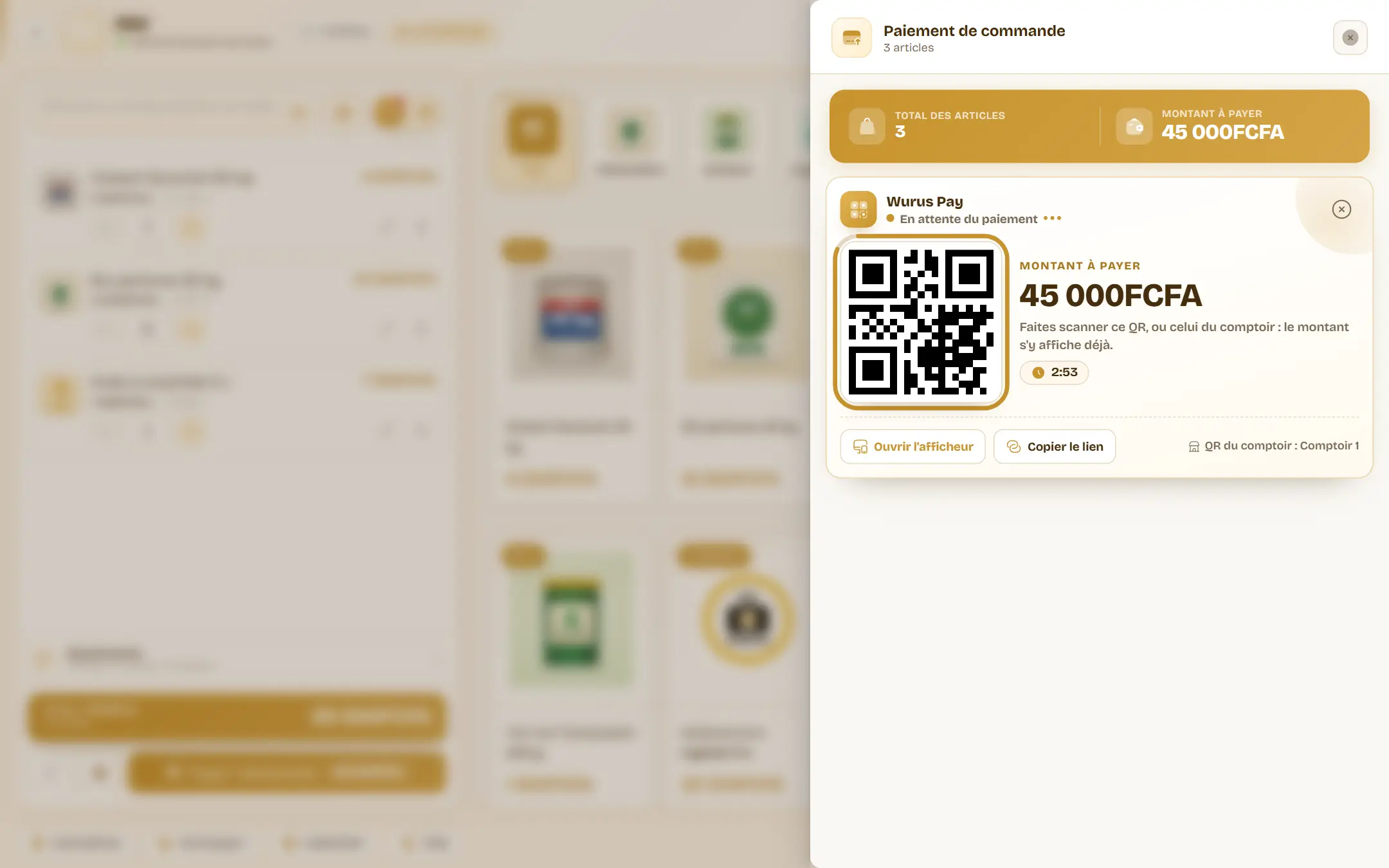
At checkout, choose Wurus Pay. The till shows a QR code for the exact amount, and the customer has nothing to type. The sale settles when the payment arrives. A phone or tablet facing the customer can serve as a display.
From afar, a request you can follow
Customer not in front of you? Request a payment: the customer, the amount, the invoice if there is one, and the channel. The request goes out by WhatsApp, SMS or email, or you copy the link and send it yourself.
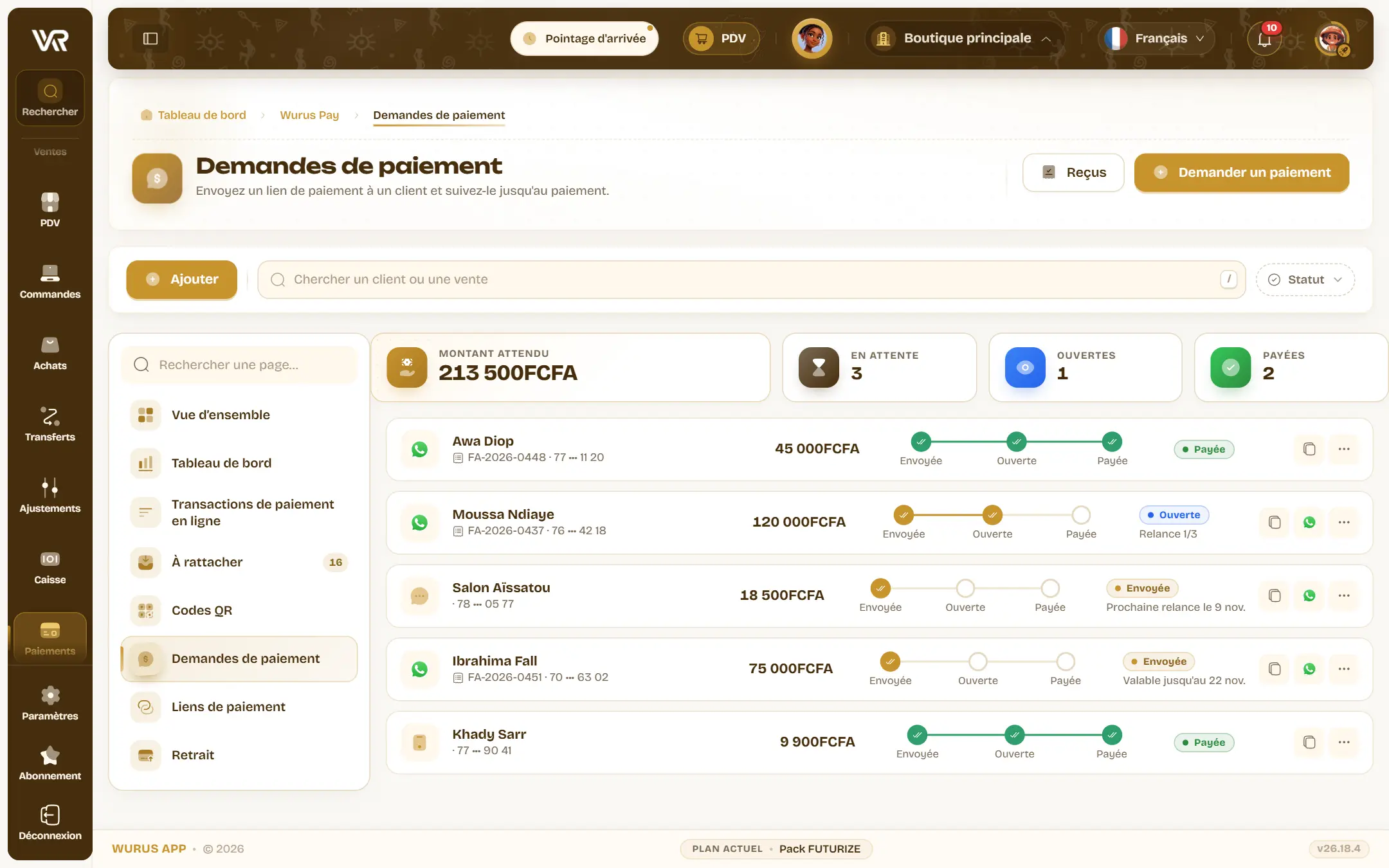
Each request is tracked on one line: sent, opened, paid. Its detail view keeps the date of every step and the next reminder. The customer pays, and the reminders stop.
Customers settle their own invoices
Turn it on for a QR code and customers can tap Settle my invoices, enter their number and receive a code. They then see their unpaid invoices, tick the ones to settle and can pay part of the amount. The payment is split across the ticked invoices on its own.
A receipt anyone can verify
Once the payment is confirmed, the customer lands on the receipt: the amount, the time and a four-character code. The same code appears on your screen, which a doctored screenshot cannot guess. If they wish, customers also get the receipt on WhatsApp, or by SMS if you turned that on.
Nothing is left without a home
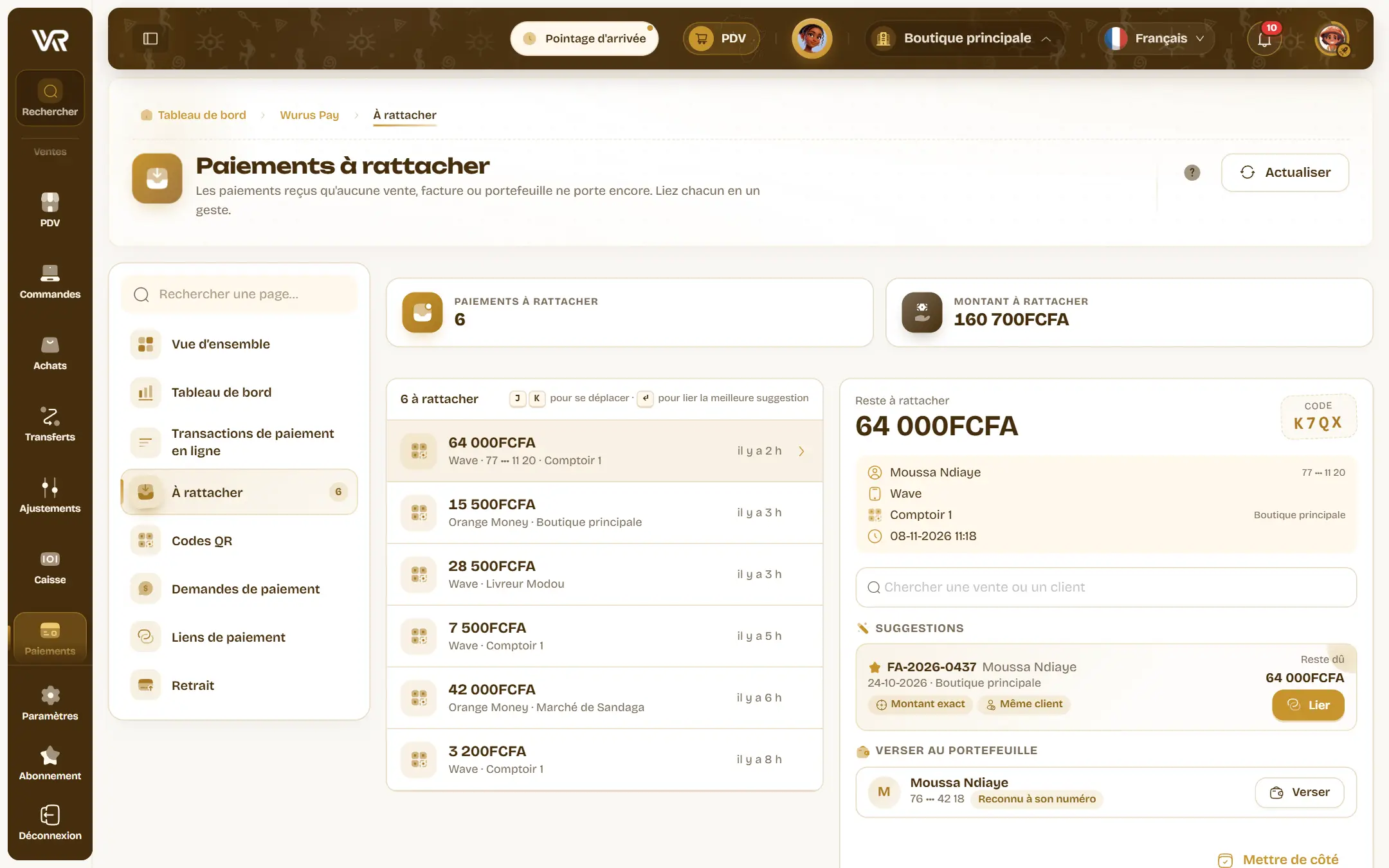
Sometimes a payment arrives with no reference: a customer scanning the shop’s QR code for a purchase already noted, for example. It lines up in To allocate, and you link it to its sale or invoice in one move. The invoice updates, and the payment no longer gets lost in a WhatsApp thread.
What you collect, and where it comes from
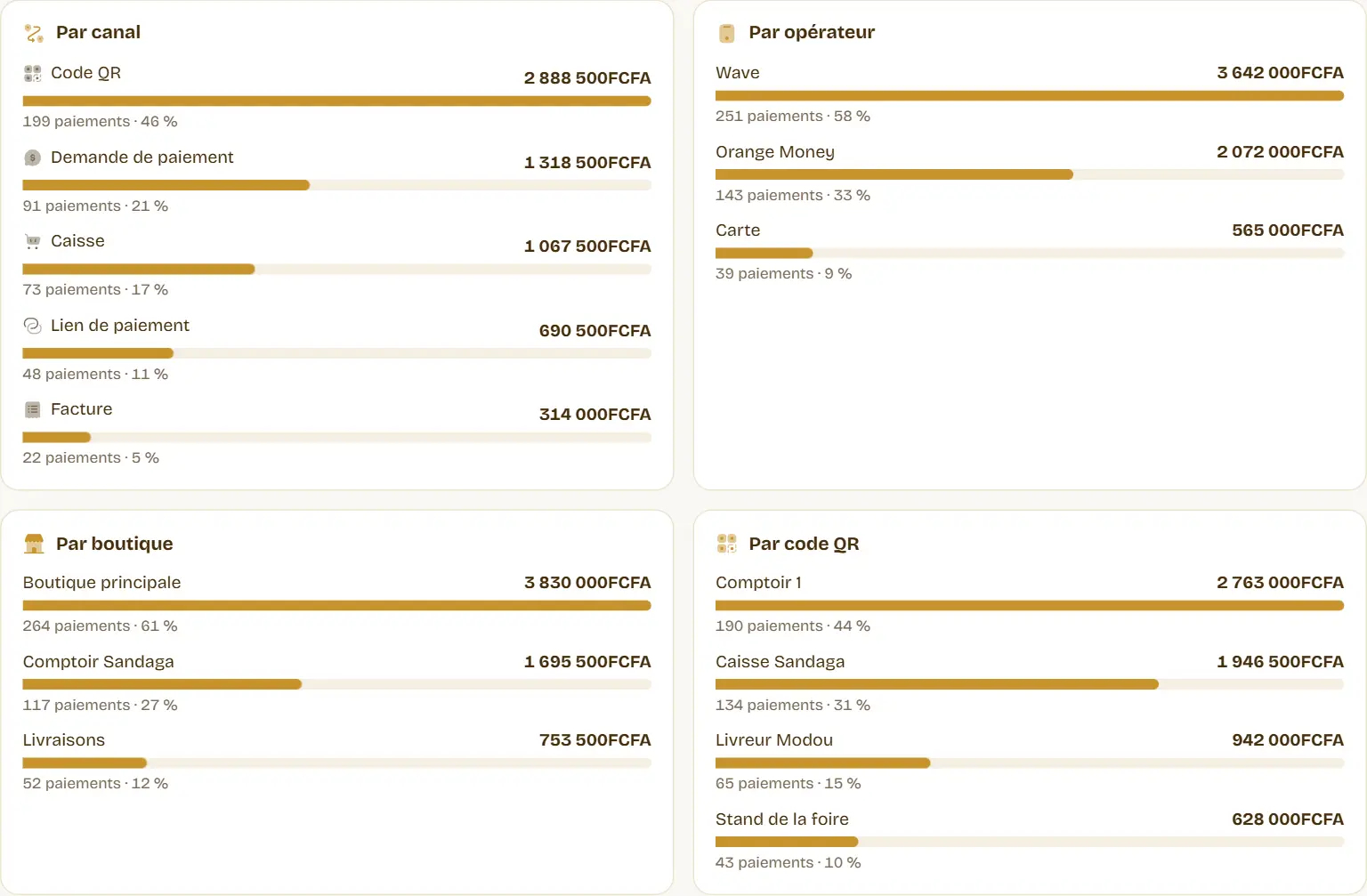
The Wurus Pay dashboard answers the evening question. Pick a period and see what came in, day after day, compared with the period before. Only money received counts.
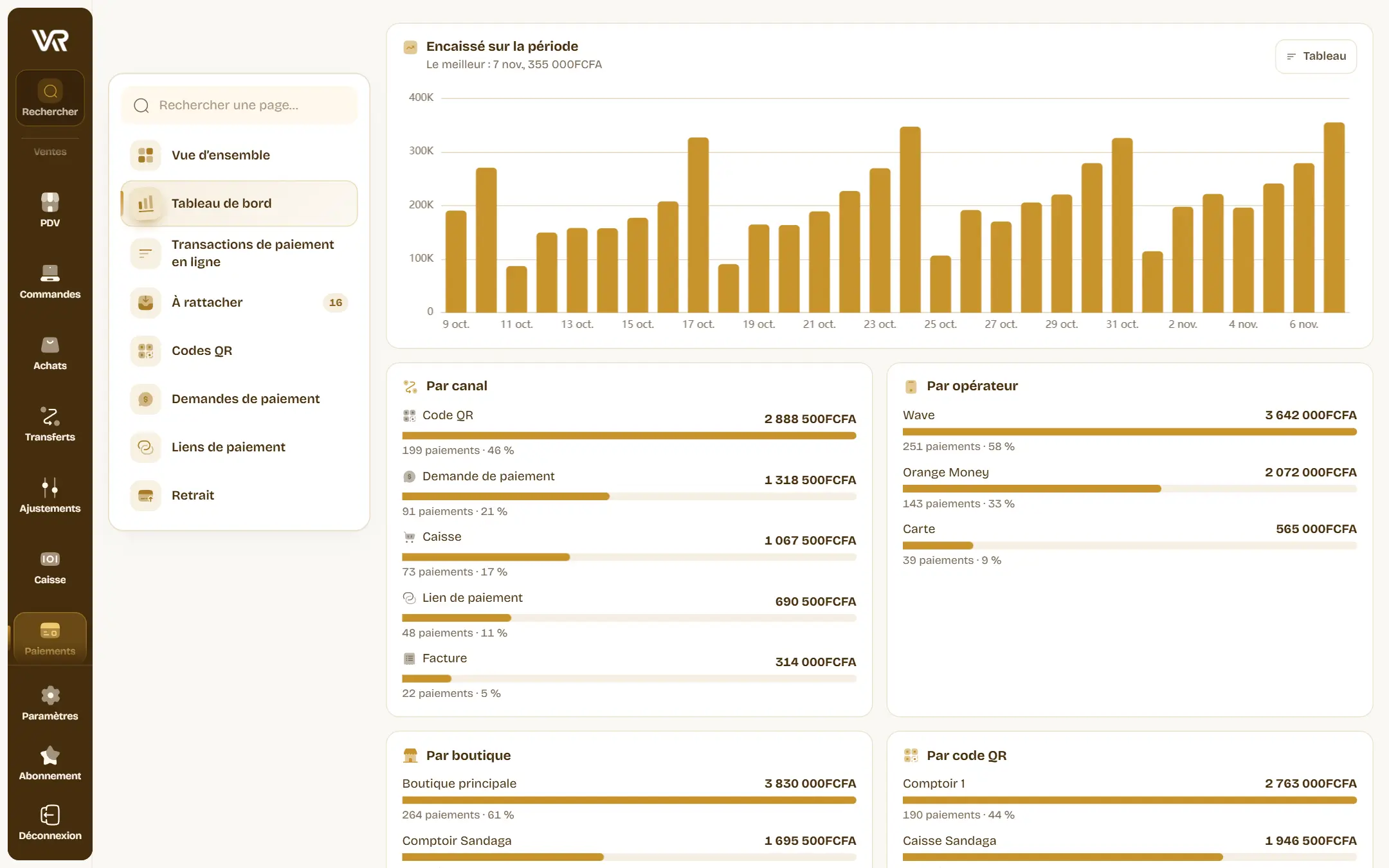
Below, the breakdown by channel, operator, shop and QR code. You see which counter is working and which operator your customers prefer. The Export button gives you a file for your spreadsheet, without your customers’ numbers. To get your sales without opening the app, see automatic reports.