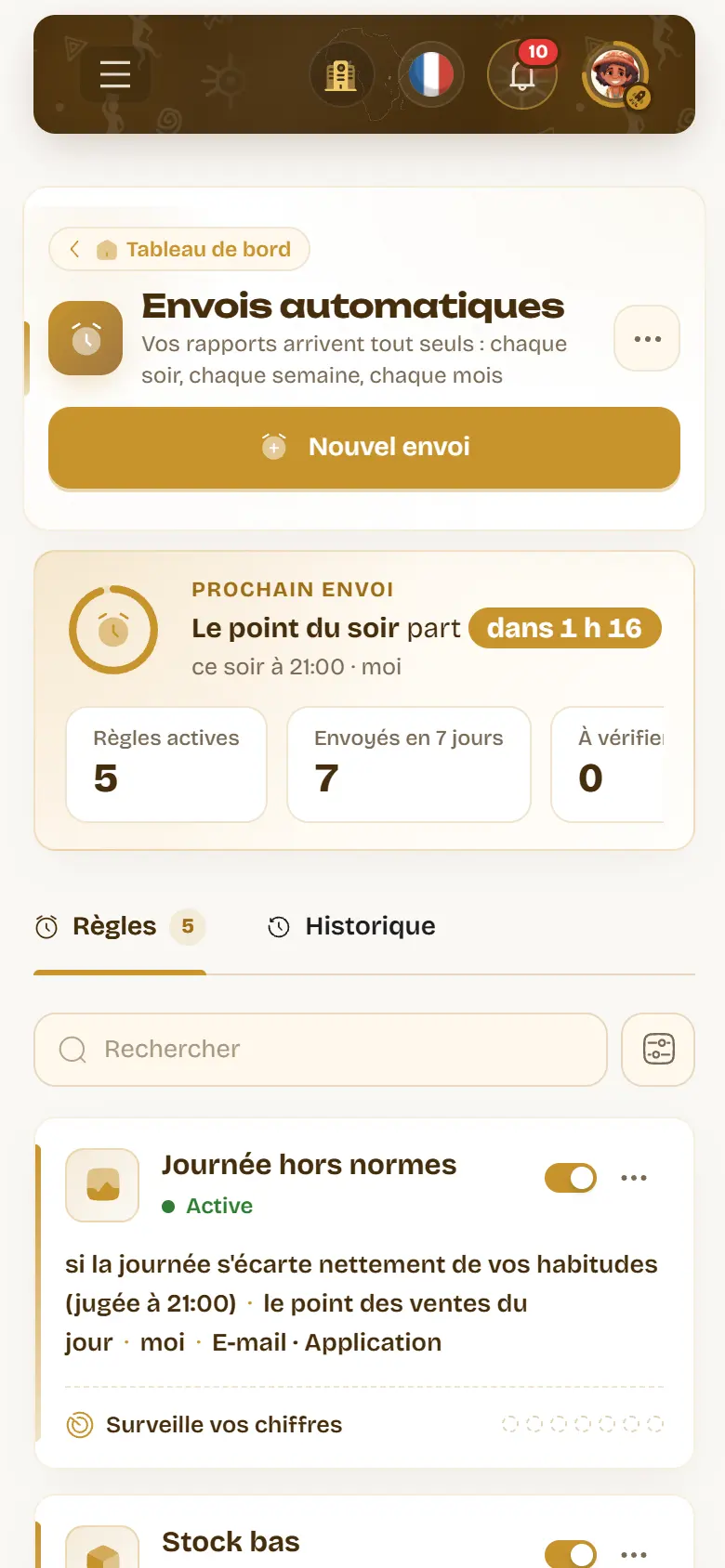
In the evening, after closing, most shop owners do the same thing: open their software to see how the day went. Or they don’t, because it is late, and find out three days later that a product is out of stock. With automatic sends, WURUS comes to you: the evening wrap-up on your phone, the Monday summary in your inbox, and a message the moment your figures call for it.
One rule, one sentence
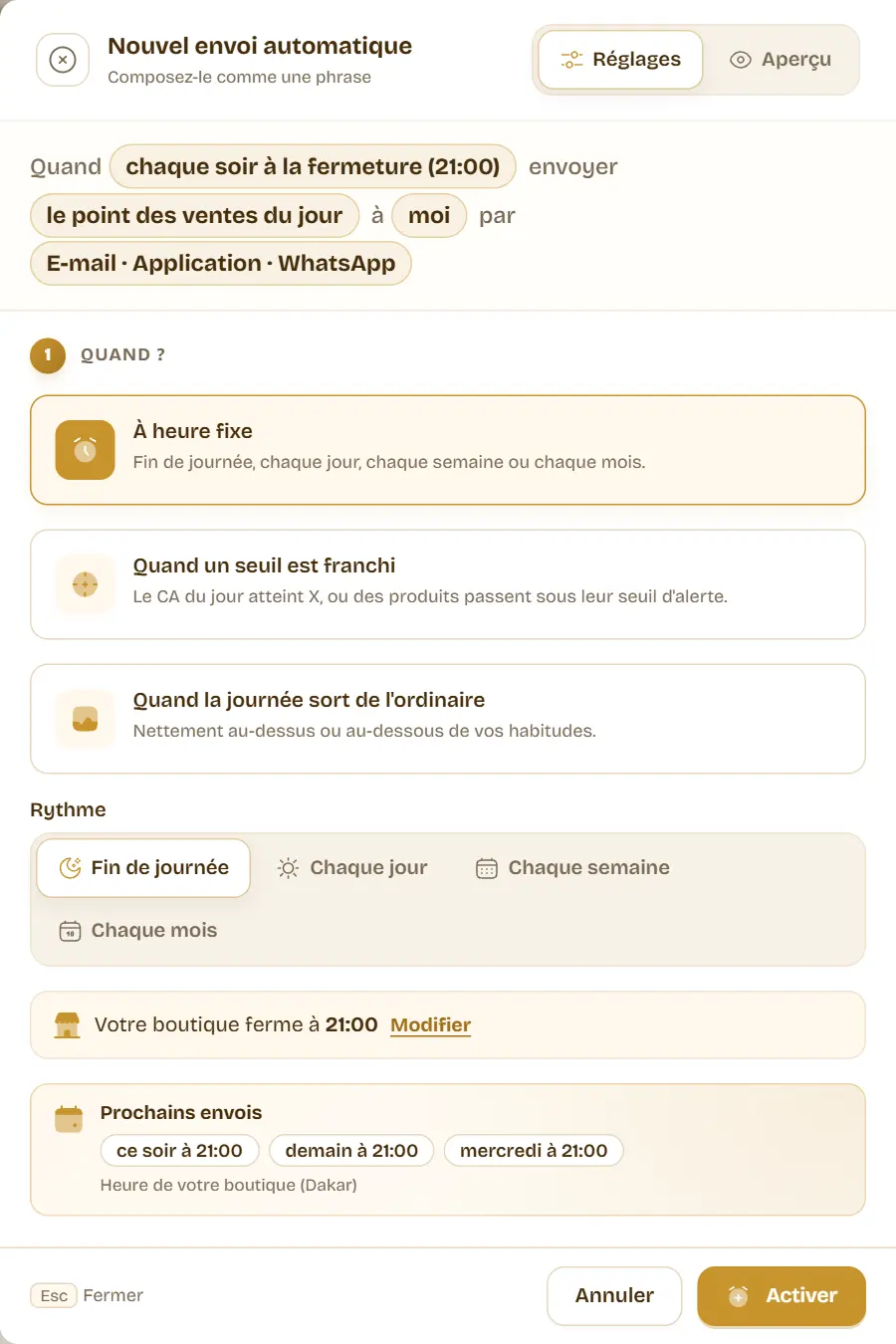
It all happens in Reports, Automatic sends. A send rule answers four questions: when, what, to whom, through which channel. The assistant writes it as a sentence you read at a glance: “Every evening at closing time (21:00), send today’s sales report to me by e-mail and WhatsApp”. Tap any part of the sentence to change it.
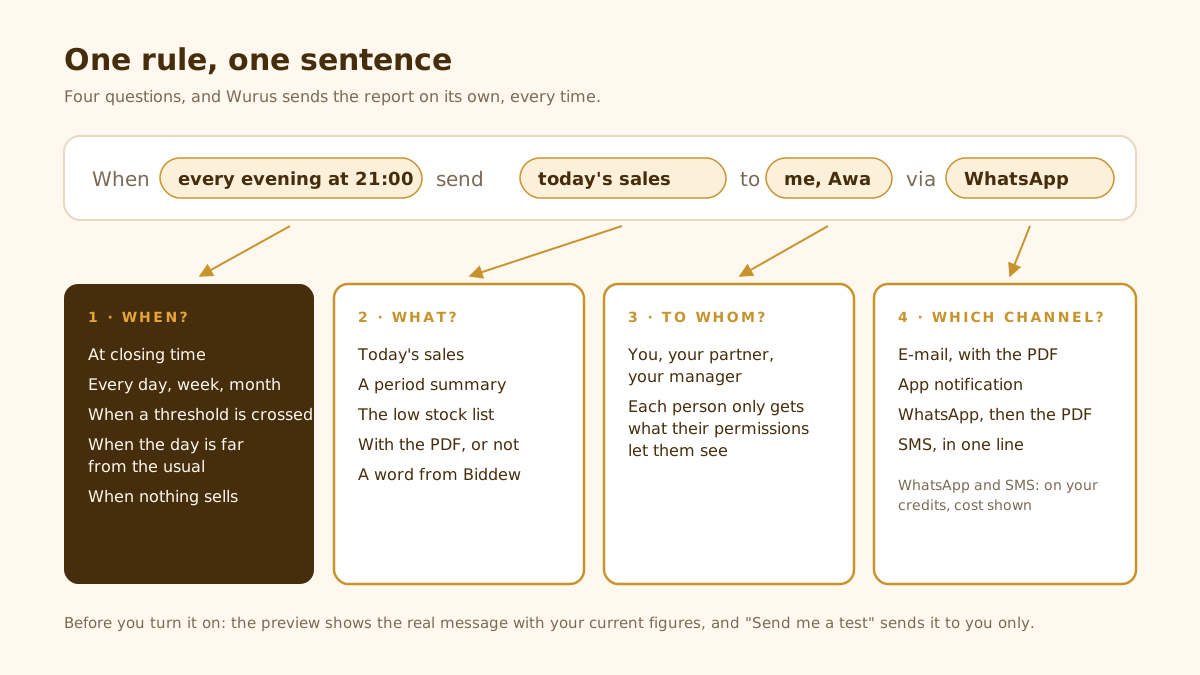
No need to set everything up to start: pick a recipe. “The evening wrap-up” sends today’s sales at closing time, “The morning coffee” yesterday’s at 8 am, “The Monday summary” the past week, “The month in review” the previous month. The recipe fills in the when and the what; you only choose who gets it.
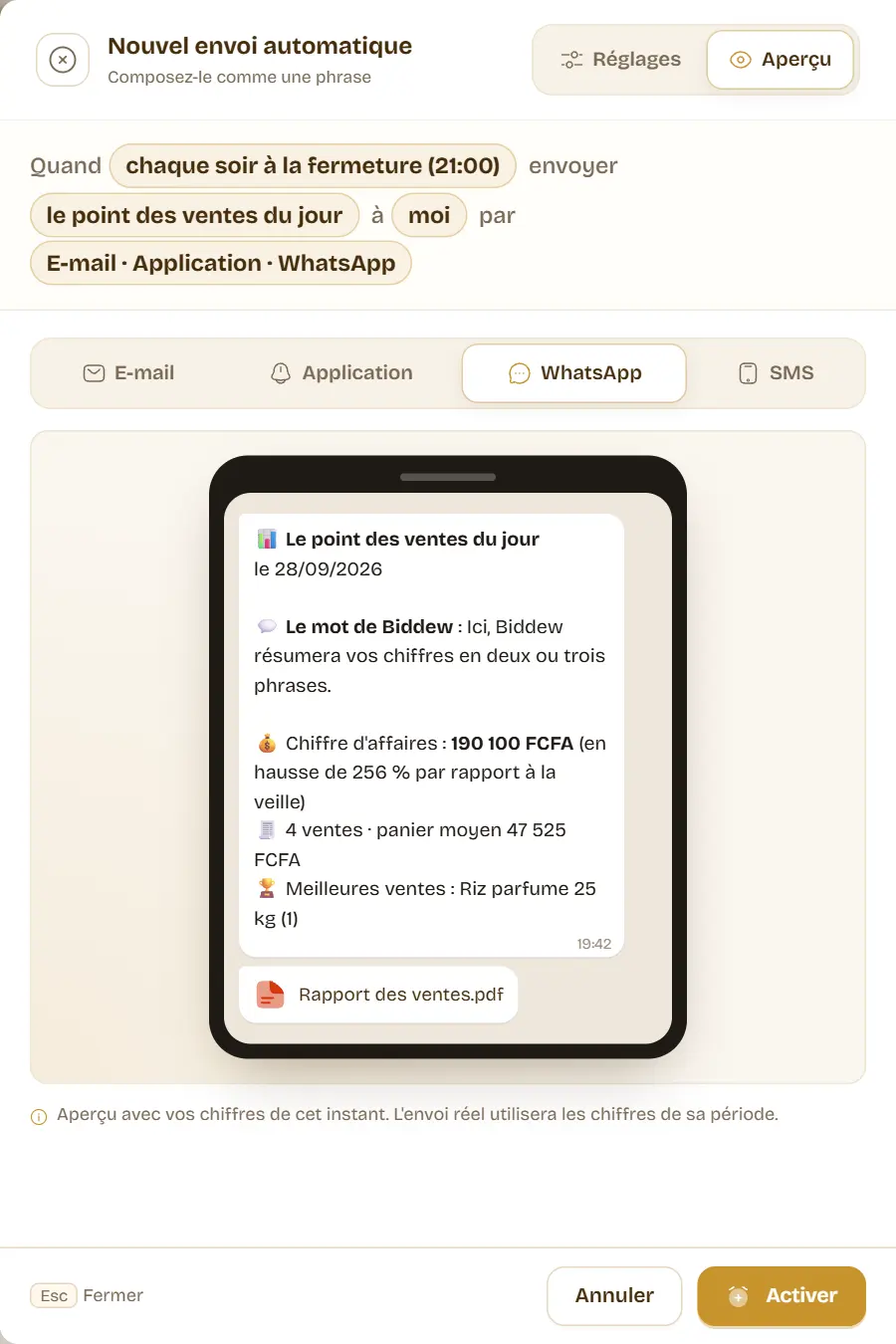
See the message before it leaves
The Preview tab shows the real message with your current figures: the e-mail and its tiles (revenue, number of sales, average basket), the comparison with yesterday and with the same day last week, your best sellers and the attached PDF. The same goes for the app notification, the WhatsApp message and the SMS. Once the rule is on, “Send me a test” sends it right away, to you only.
When your figures speak
A report at a fixed time tells how the day went. But some news can’t wait for the evening. Automatic sends can also write to you the moment something happens.
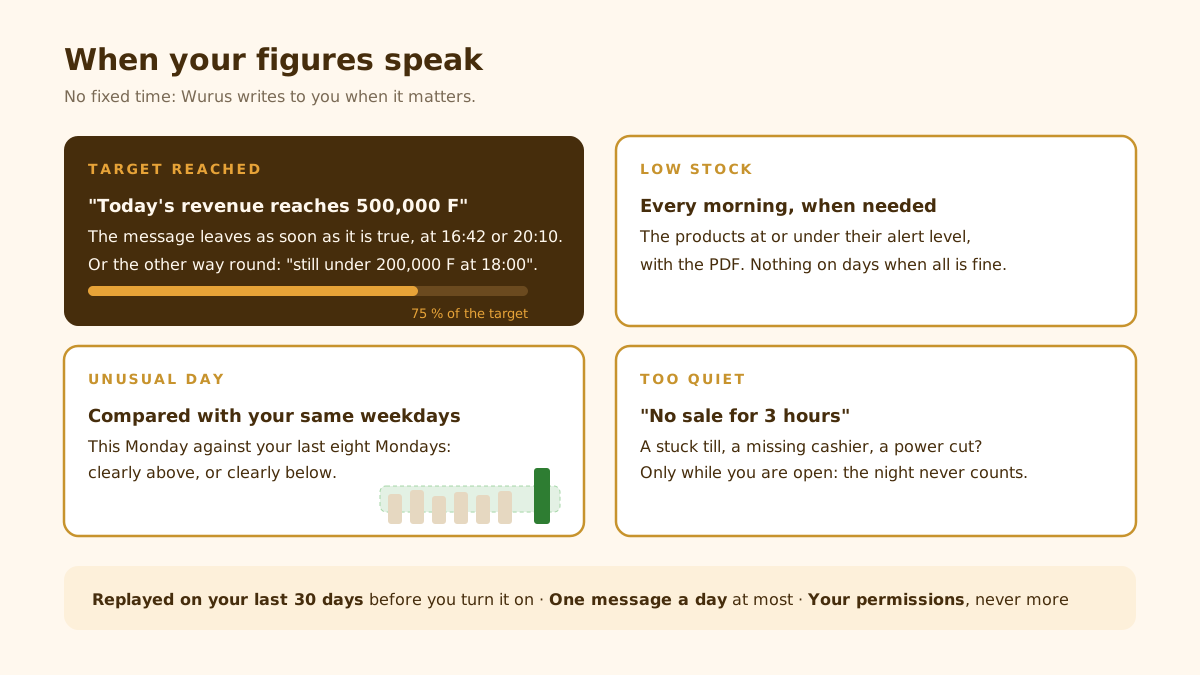
Target reached, or a day too quiet
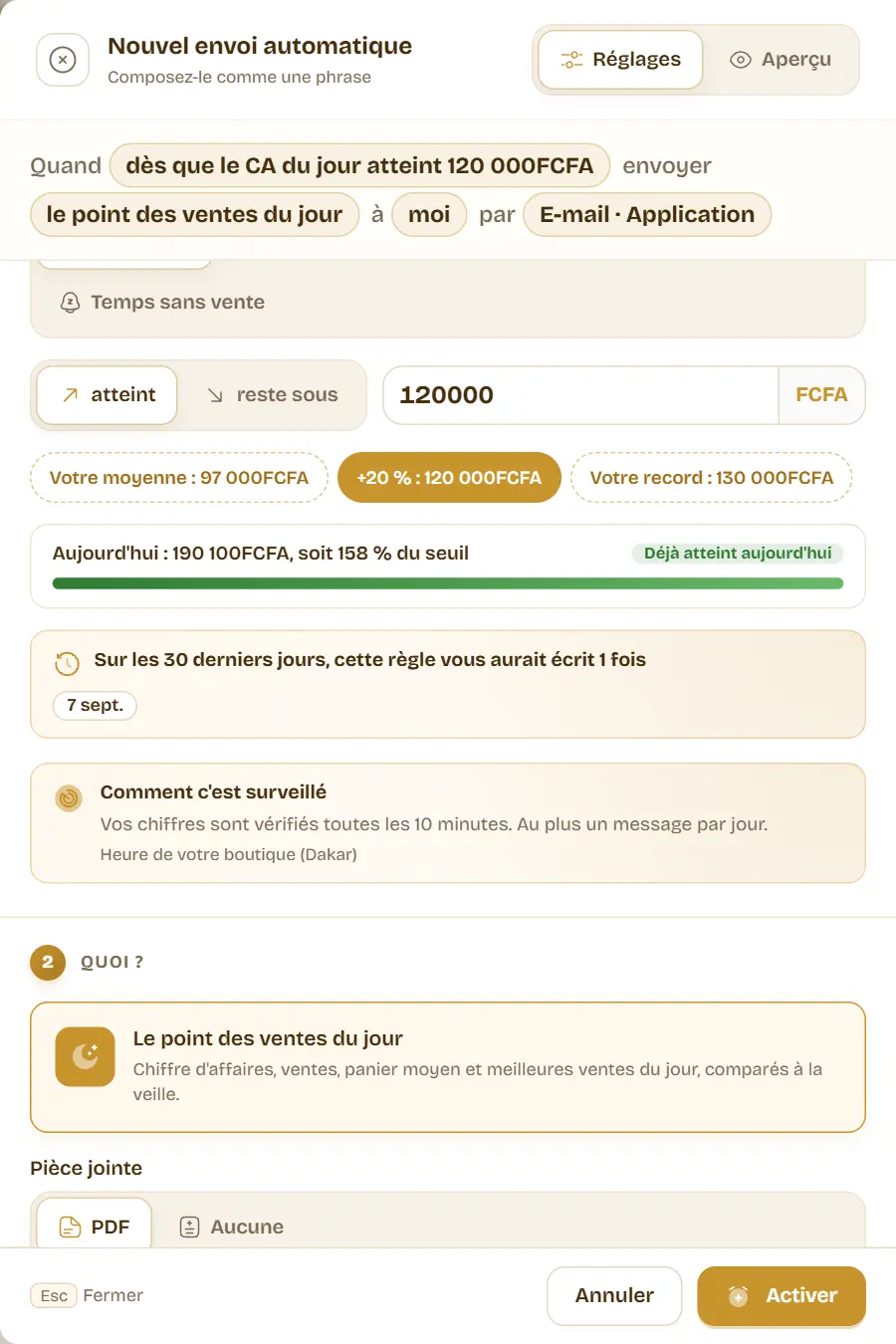
“As soon as today’s revenue reaches 120,000 F”: the message leaves the moment it is true. To pick a fair threshold, the assistant suggests your average, +20 % and your record, and a gauge shows where the day stands. The other way round works too: “if at 6 pm revenue is still under 50,000 F”, to hear about a slow day while there is still time to act.
Low stock, every morning when needed
Every morning at 9, if products are at or under their alert level, you get the list, with the PDF. On days when all is fine, nothing is sent. The “Receive automatically” button is also on the Stock alert report.
The unusual day
Is a Monday at 190,000 F a lot or a little? It depends on your Mondays. At the chosen time (closing, by default), WURUS compares the day with your last eight same weekdays, measured up to the same time. If it is clearly away from them, up or down, you are told. Three settings: Discreet only writes for real gaps, Sensitive also flags smaller ones, Balanced sits in between.
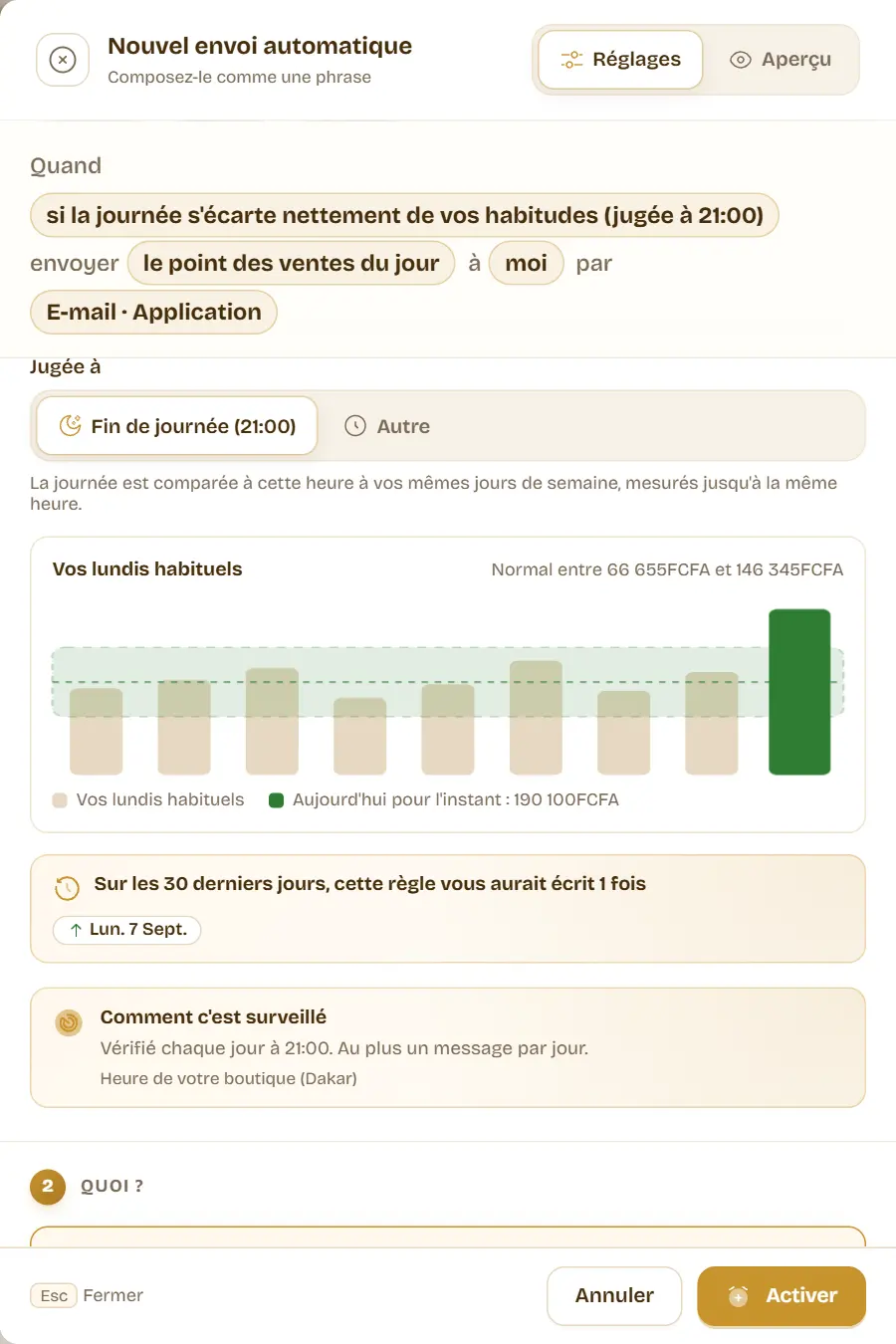
The rule waits for at least four comparable days before judging: a shop that is just starting does not get alerts on too thin a basis. And a public holiday does not skew the comparison, because it relies on the median rather than the average.
Too quiet
“No sale for three hours” while you are open: a stuck till, a missing cashier, a power cut? You know without being there. The night never counts, only the time between opening and closing.
E-mail, WhatsApp, SMS: the right channel for each
The e-mail carries the full report as a PDF, and the app notification opens the send straight in WURUS: both are included. With the WhatsApp or SMS modules of your plan, the report also goes out on WhatsApp (a short message, then the PDF) or by SMS (a single line). Each channel shows its cost in credits and your balance, and the assistant estimates the month’s use: it warns you if the balance won’t last.
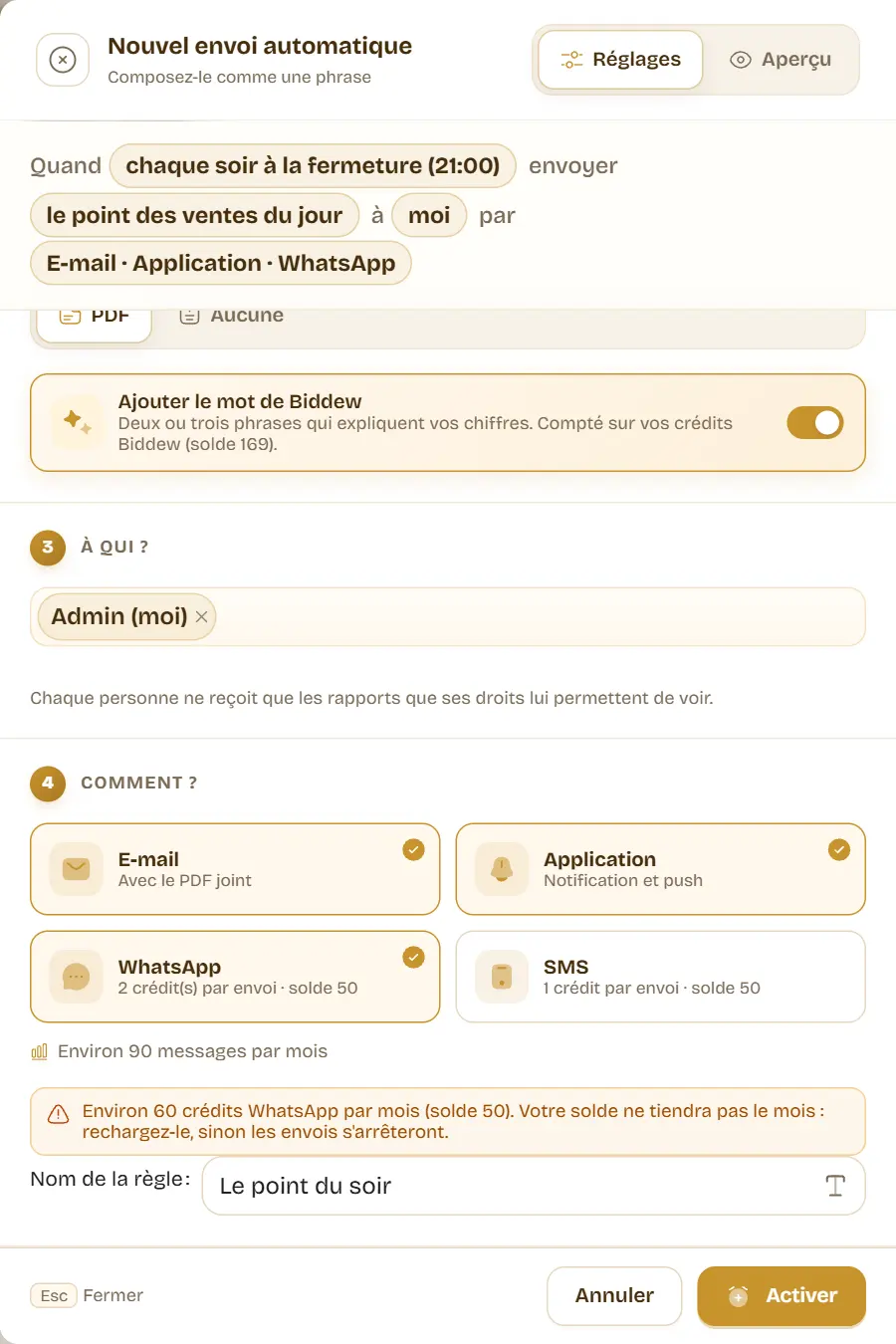
Someone with no phone number in their profile is flagged before you turn the rule on, and costs no credit: WhatsApp and SMS skip them. If credits run out along the way, the other channels still go out, and the history says exactly what was not delivered.
A word from Biddew
With the Biddew assistant module, tick “Add a word from Biddew”: every report sent by e-mail, WhatsApp or in the app opens with two or three sentences that explain your figures. A good day, what drove it, and what to do next. Biddew only talks about the figures of the report and invents nothing; the SMS stays a single line.
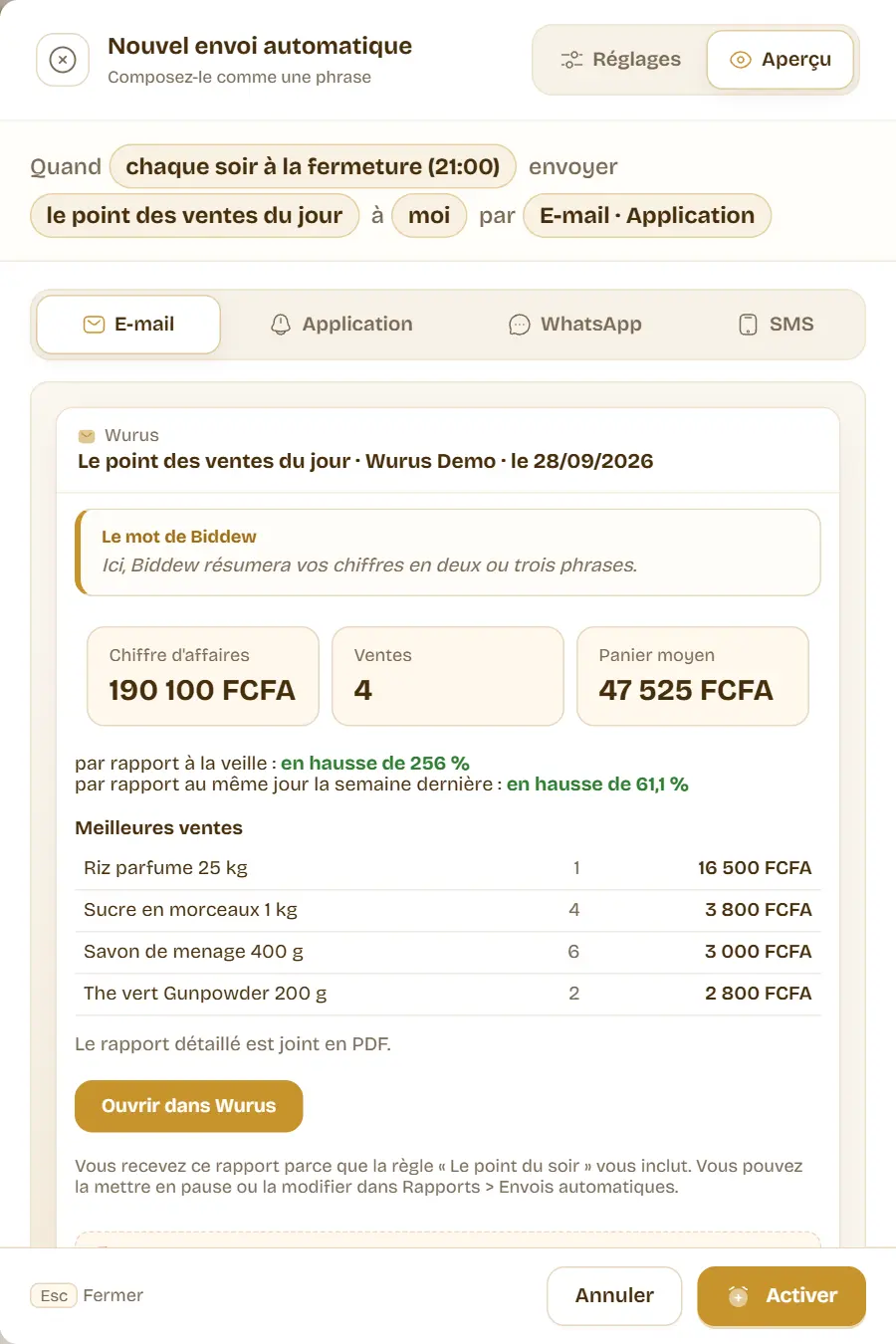
The note is counted on your Biddew credits. If they run out, the report still leaves, without it, and the history says why.
Everything is logged
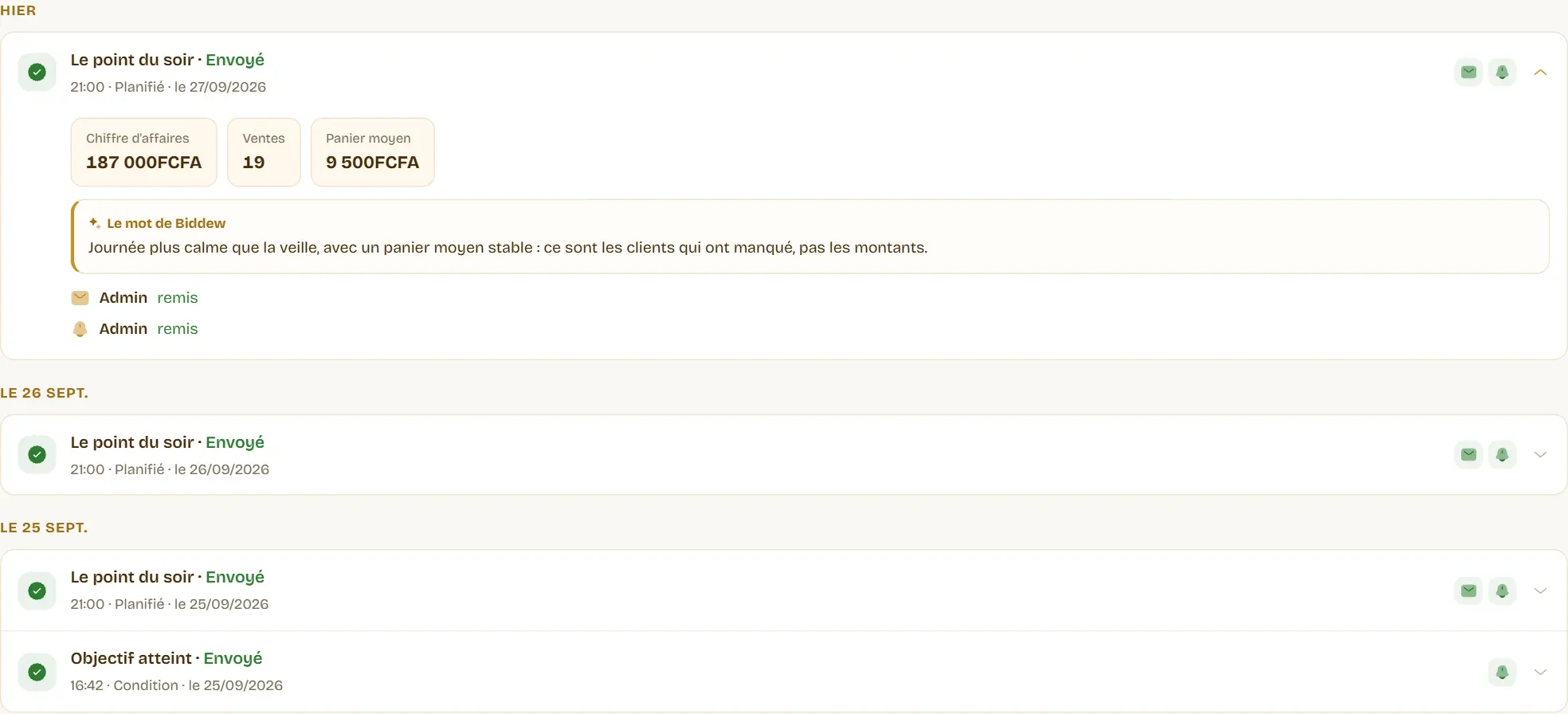
The History tab keeps every send for 90 days: the figures sent, Biddew’s note if there was one, and what happened to each message, channel by channel and recipient by recipient. Delivered, on its way, or not sent and why: no e-mail address, no credits left, WhatsApp phone disconnected. The same period is never sent twice.
Where to start
Open Reports, Automatic sends and pick “The evening wrap-up”. Or, from the Sales summary, the Product sales summary or the Stock alert, click “Receive automatically”: the assistant opens already set on that report. The page’s help, and Biddew, answer questions along the way.