When something blocks you, you have no time to look for whom to write to. Your customer is waiting, and so is the till. At Wurus, support is not an email address at the bottom of a page: it lives in the app, on the website and in Biddew, and every request can be followed from the first message to the answer. Here is, screen by screen, what happens when you need us.
A failure is seen before you report it
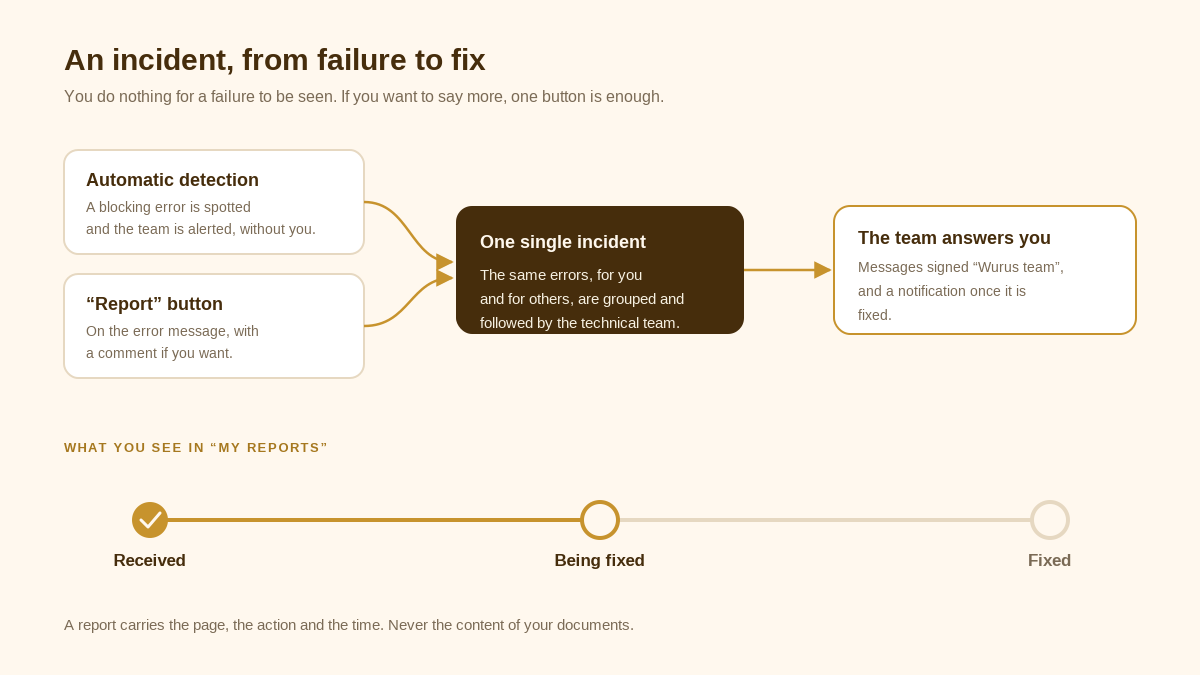
When an action fails in a way that blocks you, an invoice that will not print as a PDF or a payment that will not save, Wurus spots it on its own. The team is alerted without you doing anything, and the same errors, for you and for others, are grouped into one single incident: handled once, and properly.
Want to say more? The error message carries a “Report” button. A comment if you wish, and that is all: the report carries the page, the action and the time. Never the content of your documents.
My reports: you know where the fix stands
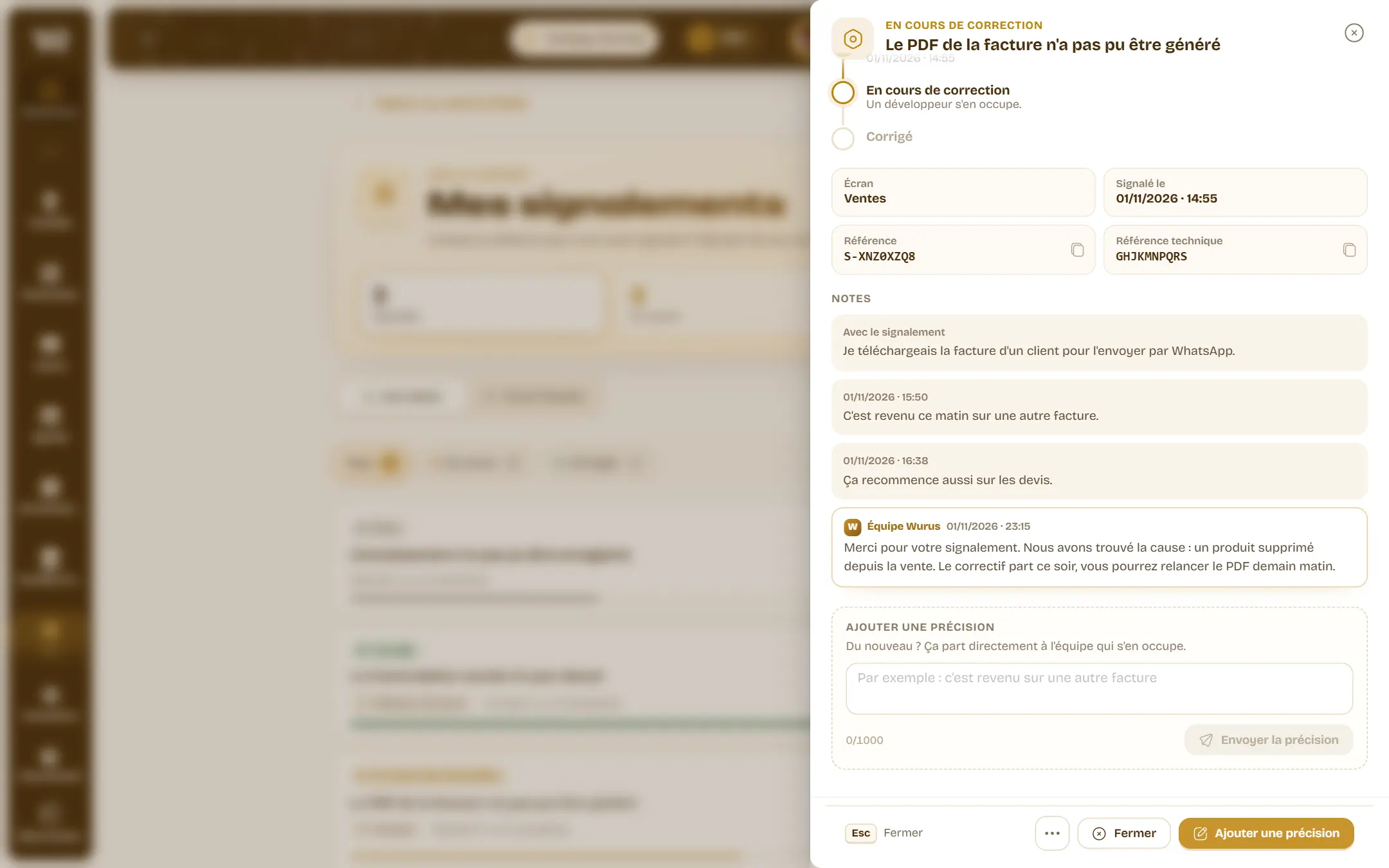
In the help section, My reports lists every failure you reported, with its progress: Received, Being fixed, Fixed. The team’s answers arrive there, signed “Wurus team”. If the problem comes back, you add a detail in the same place and it goes straight to the team in charge. A notification tells you when we answer and when it is fixed.
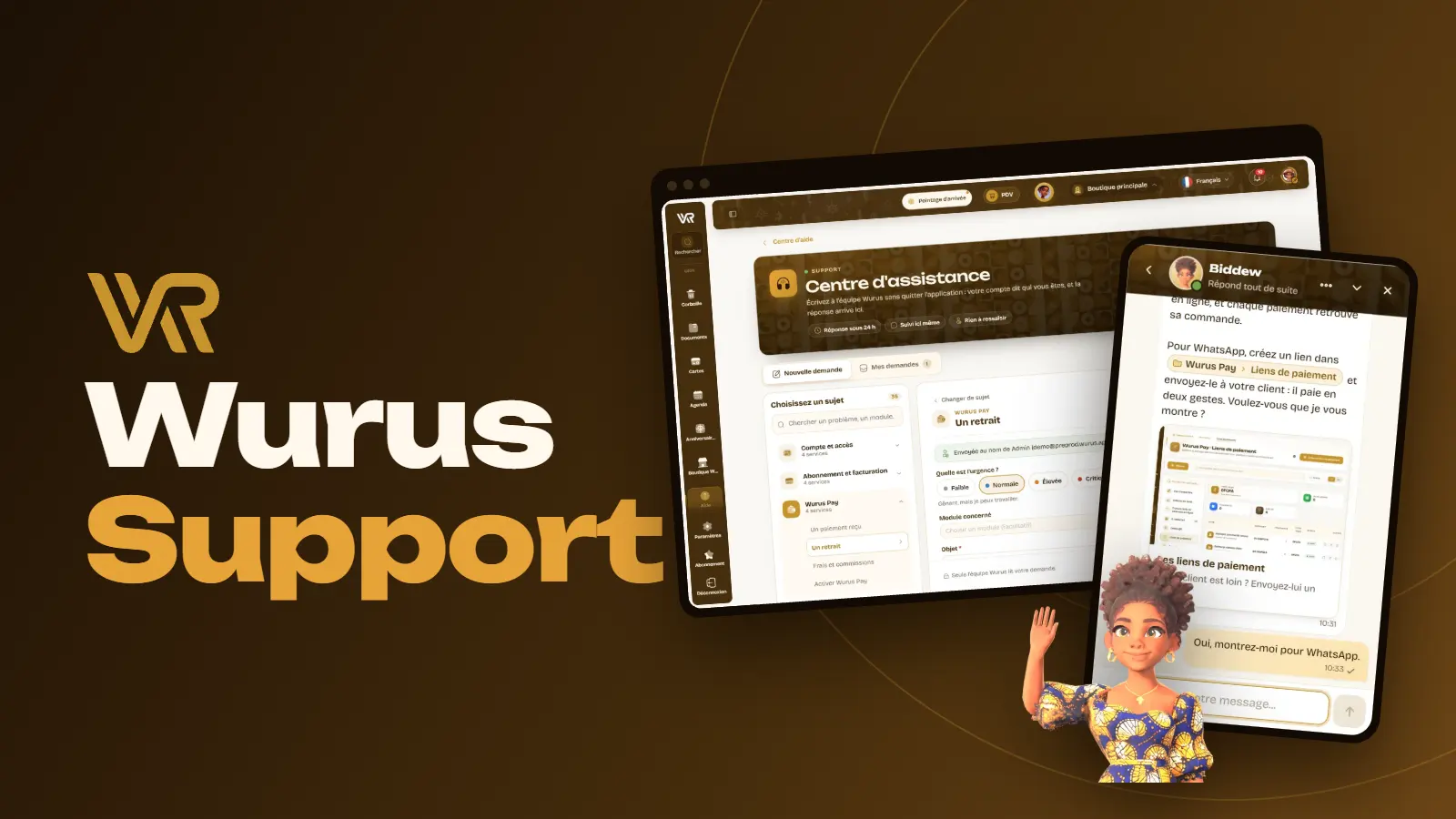
Writing to support without leaving the app
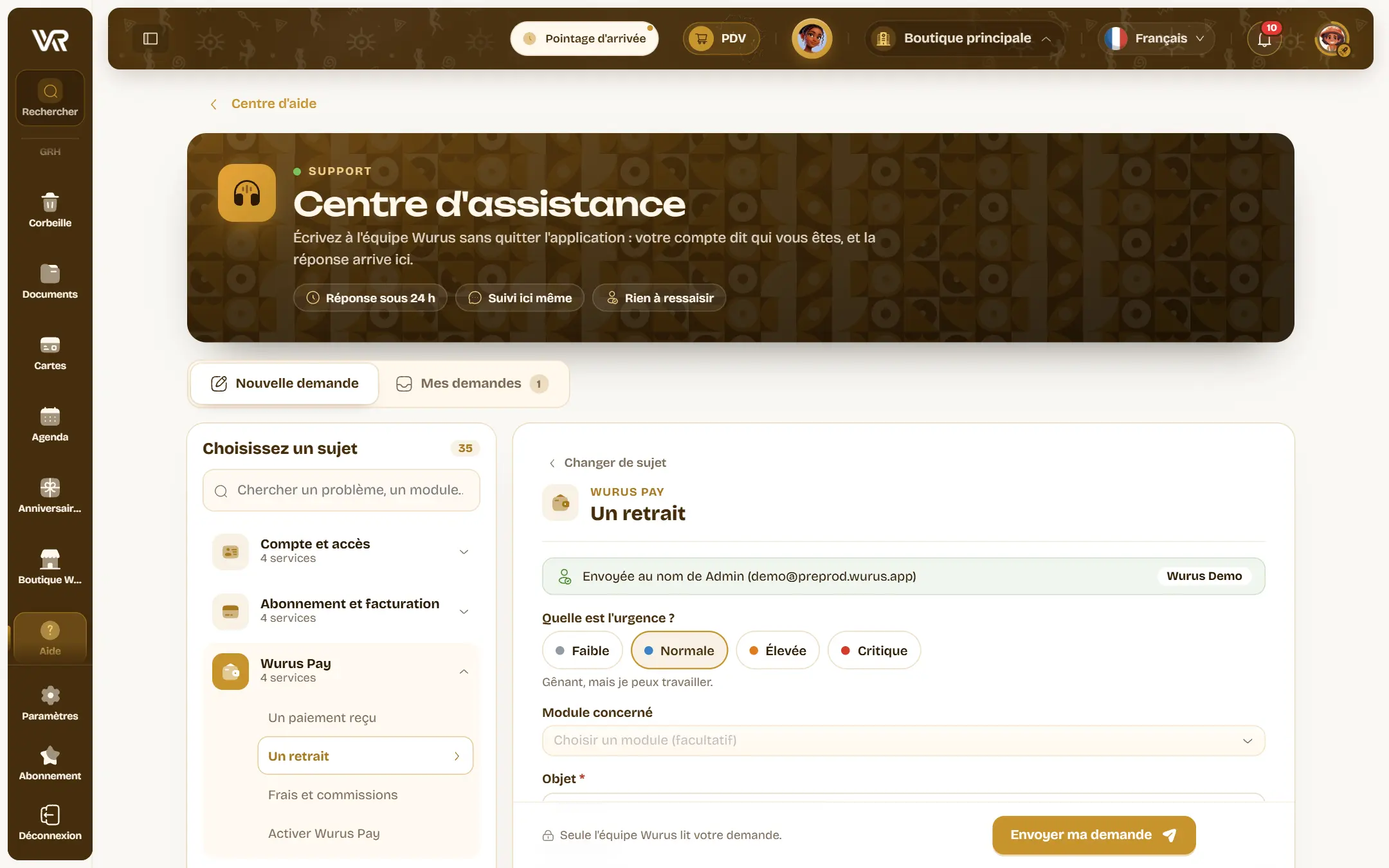
“Contact support” opens the Help center, inside Wurus. You pick a topic, then the exact service: a payout, a payment received, a subscription invoice, a lost access. You say how urgent it is, you describe it, you attach a screenshot or a PDF if that helps. Nothing to retype: your name, email and business come from your account.
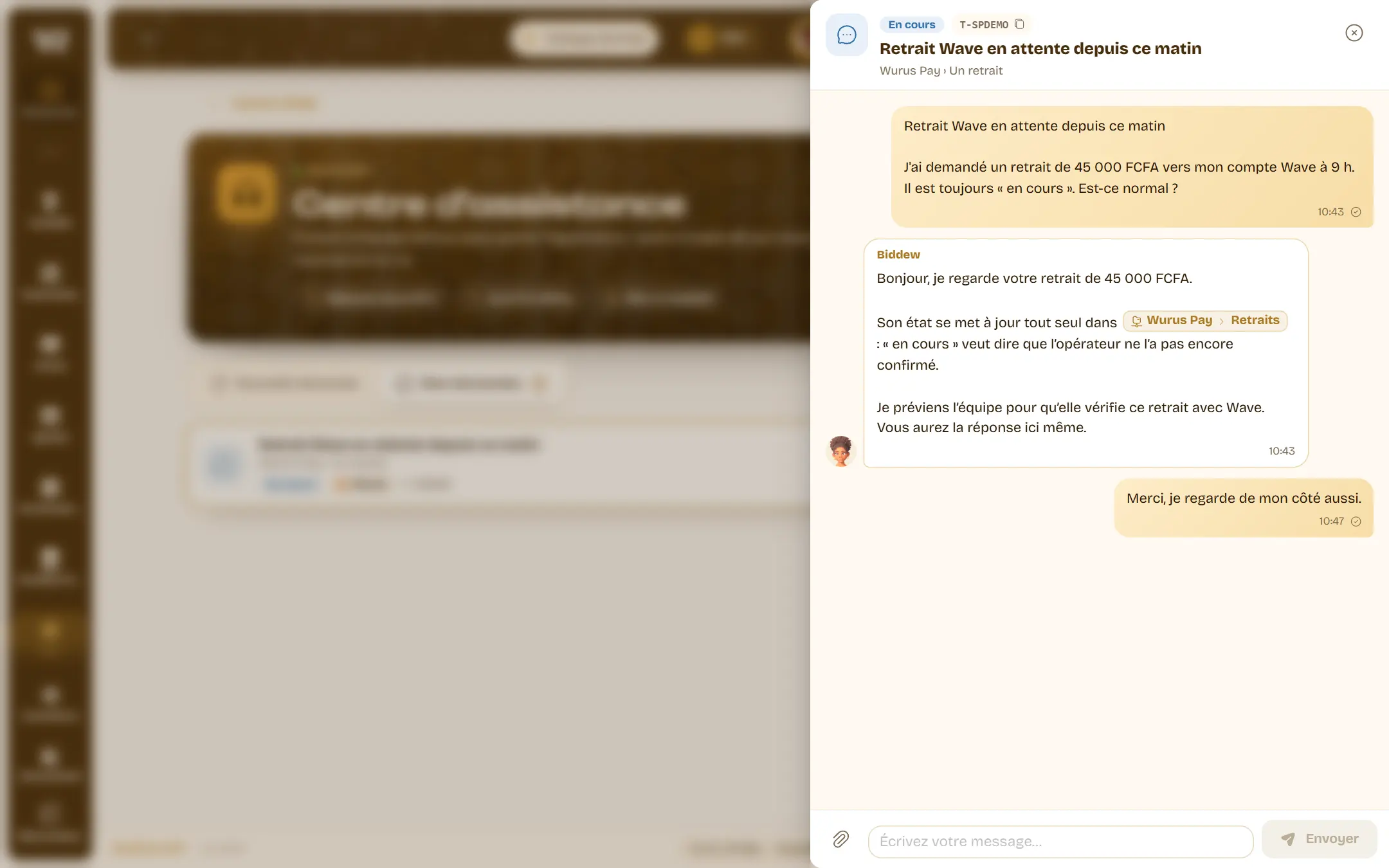
Then everything happens in My requests. Each request opens as a conversation, with its reference and its step. The answer shows up within seconds, and you also get it by email. When Biddew tells you where to click, the path in Wurus is spelled out, such as Wurus Pay › Payouts: you just follow it.
On the website: an answer before you even have an account
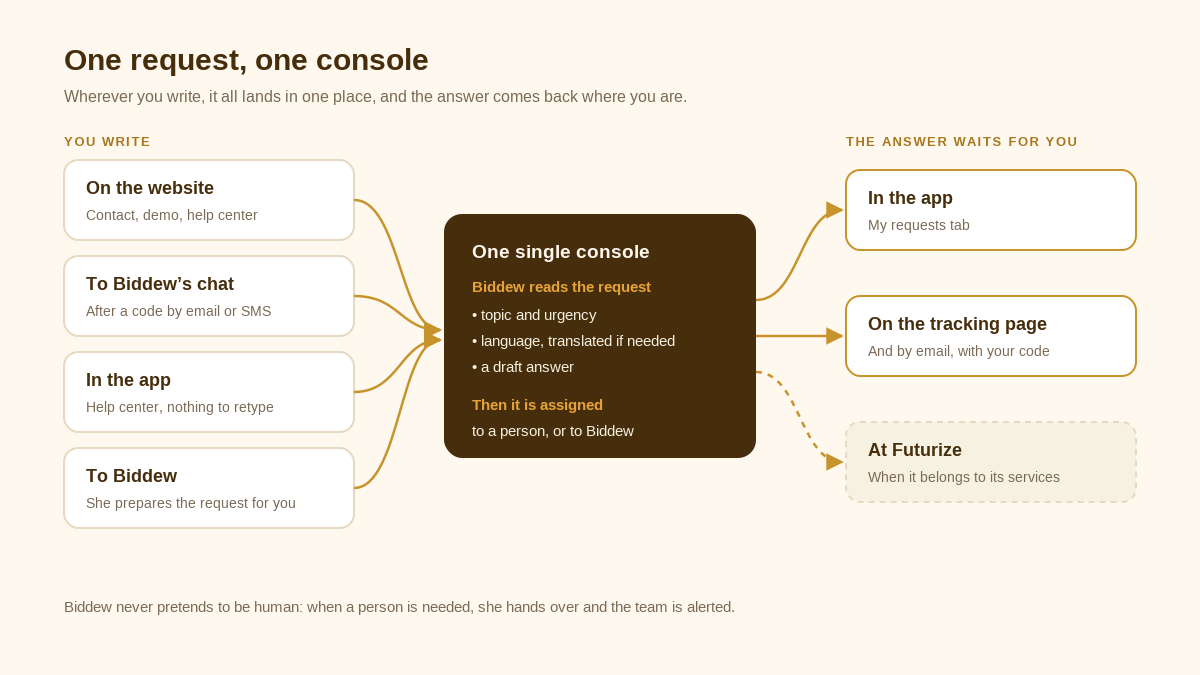
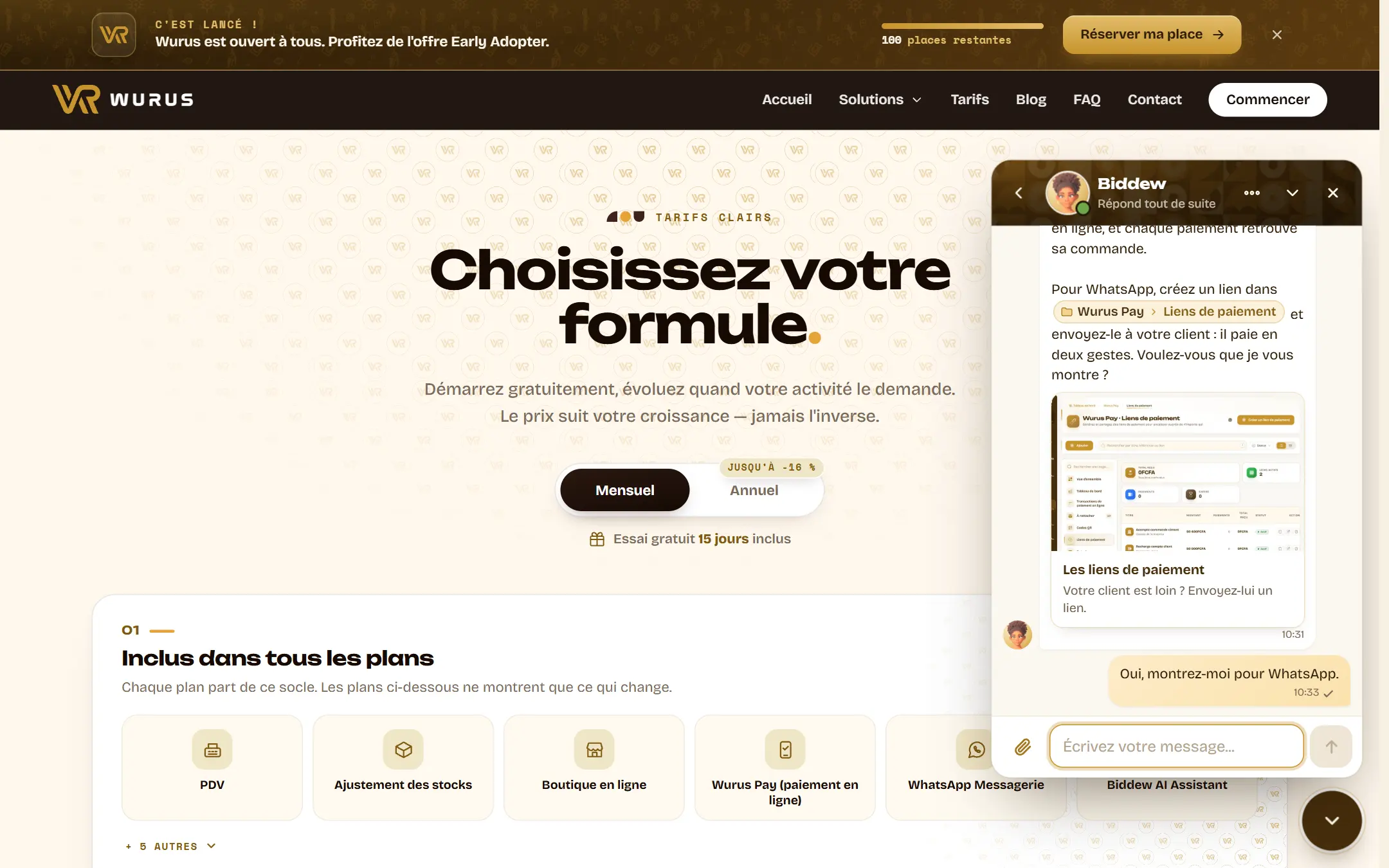
Discovering Wurus and have a question? The contact form and the demo request are there, in French and English. Biddew reads your message and prepares a first answer in the language you wrote in, Arabic and Wolof included. She relies on what the platform offers today: the plans and their prices, the Wurus Pay fees, the available modules. When a demo would help, she offers time slots and you pick one in a click.
Each answer can carry a path in the app and a card: the screen of the feature being discussed, or the Solutions page that presents it. You see what is described to you before you even create an account.
A tracking page, a code, a conversation
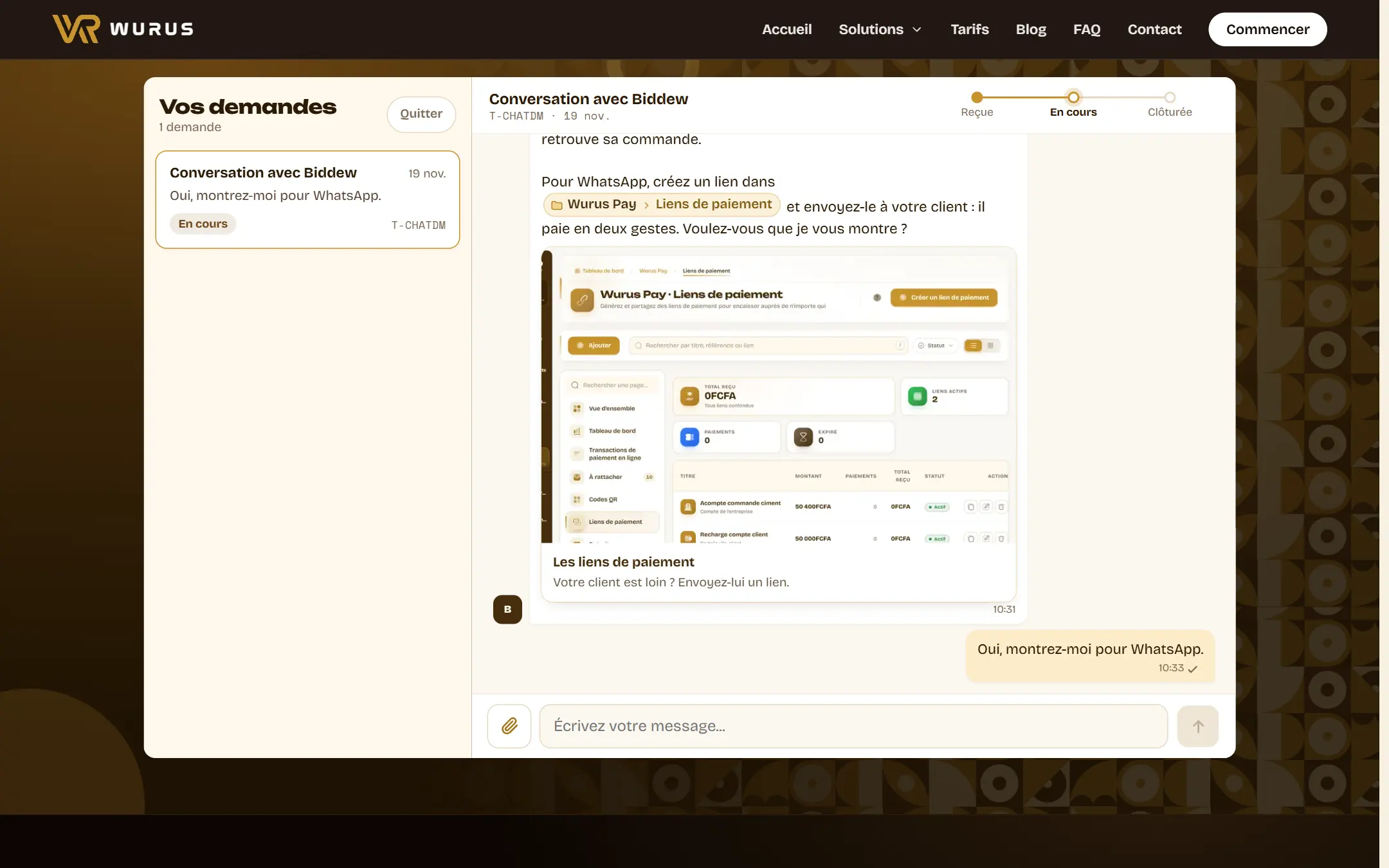
With each request you receive a tracking code by email. It opens the Track my requests page: your requests, their step and the whole conversation. You reply there, attach files, and the team’s answers arrive live, without reloading the page.
Biddew’s chat, on every page
Bottom right of the website, Biddew’s face. It never opens on its own: it waves, and you decide. To start, you give your name and your email or number, then the code you receive. This small step keeps robots out, and it keeps your conversation: you find it again on your next visit. Biddew answers live, and when a person needs to take over, she tells you and the team is alerted.
The help center, even without an account
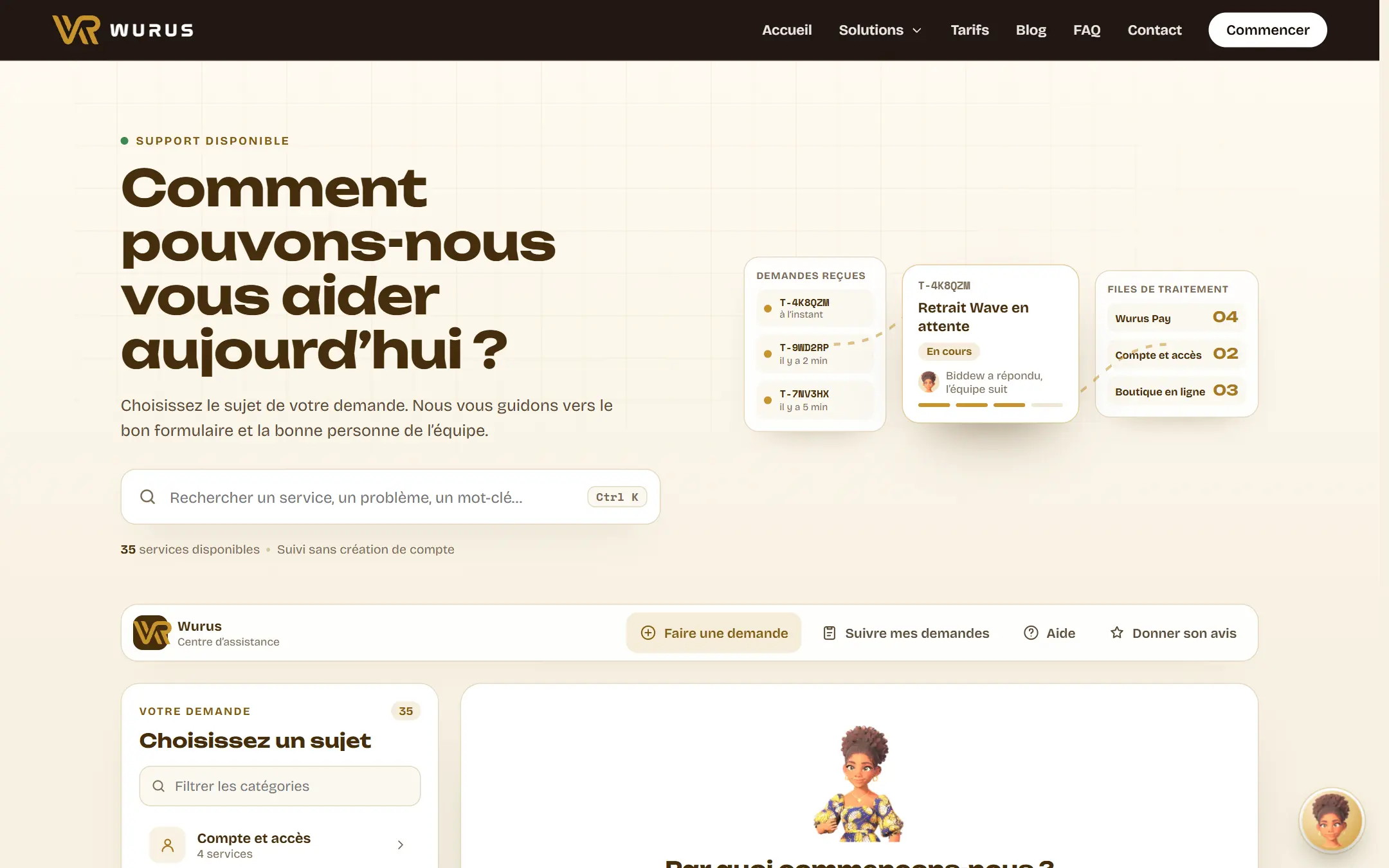
The website’s Help center page offers the same topics as the app. Use it if you do not have an account yet, or if you can no longer sign in. A search finds the right service in two words, and the form guides you in two steps. If you come from the app, your details are already filled in.
Behind the screen: a team, with Biddew at its side
All these requests land in one place on our side. Biddew reads them first: the topic, the urgency, the language, and a draft answer. Each request is then assigned to a person on the team, or to Biddew. By default, a person reads and approves her drafts before they go out; in the website chat, Biddew answers live. When she hands over, the team is alerted by email and in the console. A message in a language other than French or English is translated in one click for the team.
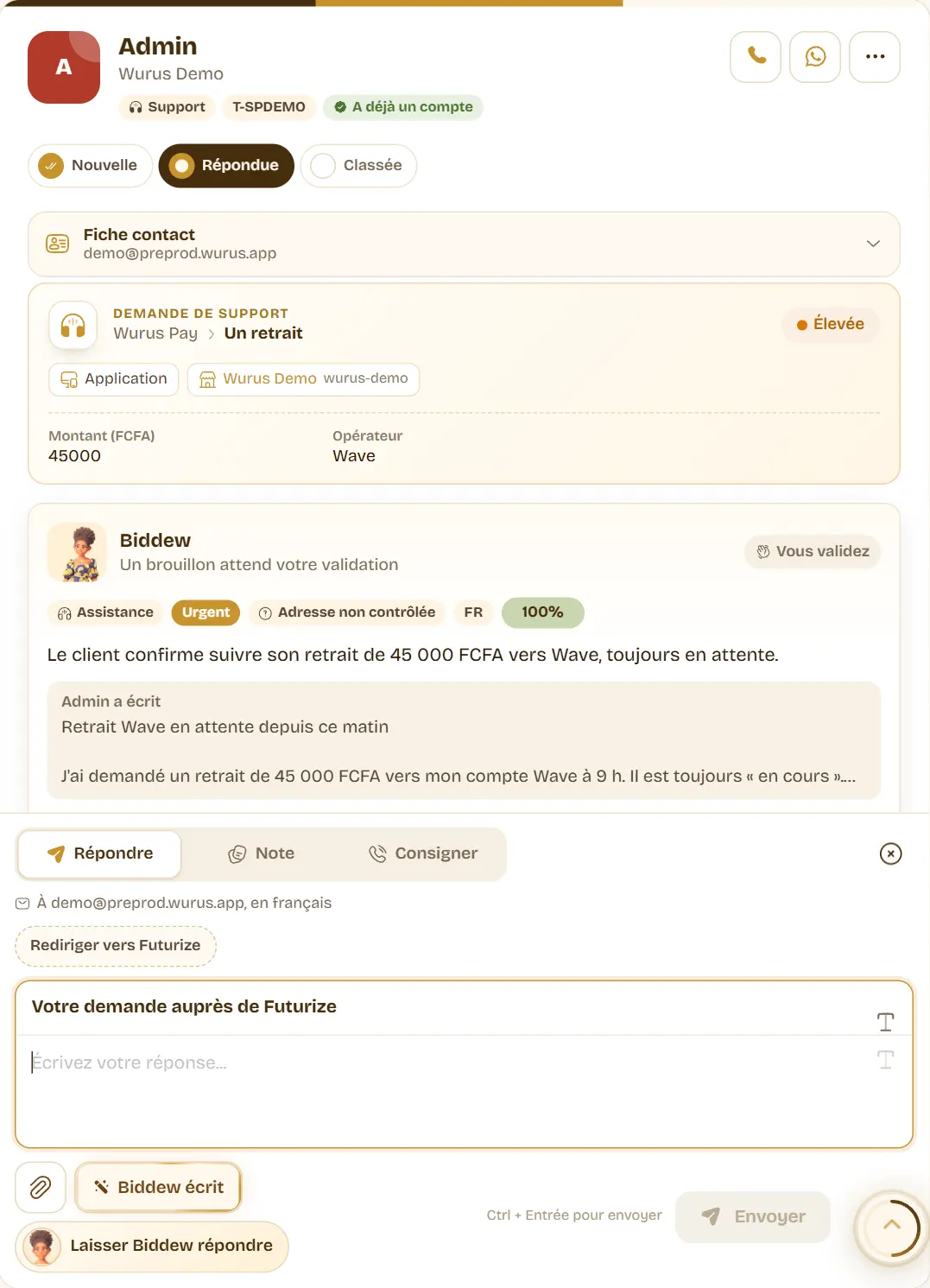
A failure raised by a report goes to the technical team of Futurize, the company behind Wurus, and what they answer comes back in My reports.
What does not change
You can still write to us at [email protected] or call +221 78 110 54 54. And Biddew never pretends to be human: when a person is needed, a person answers you.